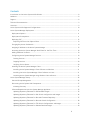
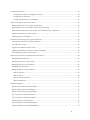
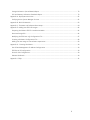
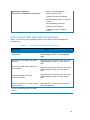
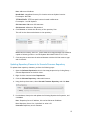
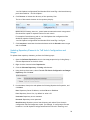
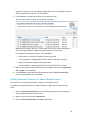
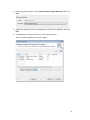
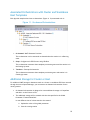
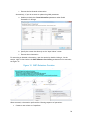
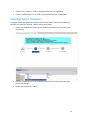
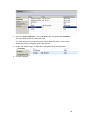
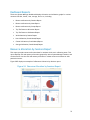
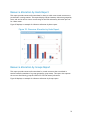
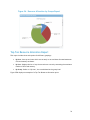
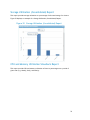
1
Active System Manager Solution Guide Active System 1000 for VMware Version 7.1 1 This document is for informational purposes only and may contain typographical errors and technical inaccuracies. The content is provided as is, without express or implied warranties of any kind. © 2013 Dell Inc. Trademarks used in this text: Dell™, the Dell logo, Dell Boomi™, Dell Precision™, OptiPlex™, Latitude™, PowerEdge™, PowerVault™, PowerConnect™, OpenManage™, EqualLogic™, Compellent™, KACE™, FlexAddress™, Force10™ and Vostro™ are trademarks of Dell Inc. Intel®, Pentium®, Xeon®, Core® and Celeron® are registered trademarks of Intel Corporation in the U.S. and other countries. AMD® is a registered trademark and AMD Opteron™, AMD Phenom™ and AMD Sempron™ are trademarks of Advanced Micro Devices, Inc. Microsoft®, Windows®, Windows Server®, Internet Explorer®, MS-DOS®, Windows Vista® and Active Directory® are either trademarks or registered trademarks of Microsoft Corporation in the United States and/or other countries. Red Hat® and Red Hat® Enterprise Linux® are registered trademarks of Red Hat, Inc. in the United States and/or other countries. Novell® and SUSE® are registered trademarks of Novell Inc. in the United States and other countries. Oracle® is a registered trademark of Oracle Corporation and/or its affiliates. Citrix®, Xen®, XenServer® and XenMotion® are either registered trademarks or trademarks of Citrix Systems, Inc. in the United States and/or other countries. VMware®, Virtual SMP®, vMotion®, vCenter® and vSphere® are registered trademarks or trademarks of VMware, Inc. in the United States or other countries. IBM® is a registered trademark of International Business Machines Corporation. August 2013| Rev 1.0 2 Contents Introduction to the Active System 1000 Solution .................................................................... 8 Audience .................................................................................................................... 8 Support ...................................................................................................................... 8 Technical Documentation ................................................................................................ 9 Overview .................................................................................................................... 9 Active System 1000-Supported Configurations ..................................................................... 10 Active System Manager Deployment ................................................................................. 11 Deployment Options .................................................................................................. 11 Deployment Prerequisites ........................................................................................... 11 Deploying OVF ......................................................................................................... 12 Importing OVF from the vSphere Client ....................................................................... 13 Changing Key Access Credentials .................................................................................. 14 Assigning IP Address to the Active System Manager ............................................................ 15 Accessing the Active System Manager Web Client for the First Time ....................................... 18 Adding Additional Licenses .......................................................................................... 19 Configuring Active System Manager Services .................................................................... 19 Starting Services ................................................................................................... 19 Stopping Services .................................................................................................. 20 Verifying Service Status........................................................................................... 20 Installing the Active System Manager Client ..................................................................... 21 Installing Active System Manager Client Software on Windows ........................................... 21 Installing the Active System Manager Client Software on Linux ........................................... 21 Accessing Active System Manager using Windows client software ........................................ 22 Active System Manager Setup ......................................................................................... 26 User and Group Management ....................................................................................... 26 Discovering Active System 1000 Components .................................................................... 27 Initiating Discovery ................................................................................................ 27 Software Repositories in Active System Manager Appliance .................................................. 35 Updating Repository Elements for ISO Bootable Images .................................................... 35 Updating Repository Elements for IOA Switch configuration and Images ................................ 36 Updating Repository Elements for Brocade Firmware Repository ......................................... 37 Updating Repository Elements for Brocade Switch Configuration......................................... 38 Updating Repository Elements for ToR Switch Configurations and Images .............................. 39 Updating Repository Elements for VMware Baseline Images ............................................... 40 3 Configuring Networks ................................................................................................... 44 Accessing the Network Configuration Setup .................................................................. 44 Configuring the Networks ........................................................................................ 44 Configuring Default Server Templates ......................................................................... 46 Physical Templates and Orchestration .............................................................................. 49 Multiple Blade Server for Cluster Provisioning .................................................................. 49 Single Blade Server for Standalone ESX Host Provisioning..................................................... 53 Associated Orchestrations with Cluster and Standalone Host Templates .................................. 55 Additional Storage for Cluster or Host ............................................................................ 55 Updating Physical Templates ....................................................................................... 57 Workload Provisioning Using Logical Templates ................................................................... 59 Pre-requisite to provision a Virtual Machine ..................................................................... 59 Two VMs with a VLAN ................................................................................................ 59 Single Virtual Machine with a VLAN ............................................................................... 60 Updating a Baseline VM Image on Logical Templates .......................................................... 60 Customizing the Guest OS (Optional) ............................................................................. 62 Operation Center View—Administrative Operations ............................................................... 64 Managing Dell Blade Server ......................................................................................... 64 Managing Dell Force10 IOA Switch ................................................................................. 65 Managing Dell Force10 ToR Switch ................................................................................ 65 Managing Brocade Switch ........................................................................................... 66 Managing VMware vCenter Objects ................................................................................ 67 VMware Clusters ................................................................................................... 67 VMware Hosts ....................................................................................................... 68 VMware Virtual Machines ......................................................................................... 70 VMware Datastores ................................................................................................ 71 Dashboard Reports ...................................................................................................... 72 Resource Allocation by Sessions Report .......................................................................... 72 Resource Allocation by Hosts Report .............................................................................. 73 Resource Allocation by Groups Report ............................................................................ 73 Top Ten Resource Allocation Report .............................................................................. 74 Top Ten Resource Utilization Report.............................................................................. 75 VM Utilization by Session Report ................................................................................... 76 Host Utilization (Consolidated) Report ........................................................................... 77 Cluster Utilization (Consolidated) Report ........................................................................ 78 4 Storage Utilization (Consolidated) Report ....................................................................... 79 CPU and Memory Utilization Showback Report .................................................................. 79 Appendix A—Deployment Activities .................................................................................. 82 Verifying Active System Manager Services ....................................................................... 82 Appendix B—Build of Materials ........................................................................................ 83 Appendix C—Firmware and Software Base Lineup ................................................................. 84 Appendix E—Adding New ESXi ISO Images ........................................................................... 86 Preparing the VMware ESXi 5.x Installation Media .............................................................. 86 Download Image ISO.................................................................................................. 86 Modifying the ESXi boot.cfg Configuration File ................................................................. 87 Creating a Kickstart Configuration File ........................................................................... 88 Adding the new image to the software repositories ........................................................... 89 Appendix G— Planning Worksheet .................................................................................... 90 Out of Band Management IP Address Configuration ............................................................ 90 ESXI Server IP Configuration ........................................................................................ 90 VLAN for IOA Configuration ......................................................................................... 90 VMware Workloads ................................................................................................... 90 Appendix I—FAQs ........................................................................................................ 92 5 Tables Table 1. Solution Component ....................................................................................... 9 Table 2. Active System 1000-Supported Configurations ...................................................... 10 Table 3. Deployment Options ..................................................................................... 11 Table 4. Deployment Prerequisites .............................................................................. 11 Table 5. Key Access Credentials .................................................................................. 14 Table 6. Values required for configuring network ............................................................. 46 Table 7. Default ESXi Network Mapping ......................................................................... 47 Table 8. Orchestration Input Parameters ....................................................................... 50 Table 9. Force10 IOA Switch operations ........................................................................ 65 Table 10. Force10 ToR Switch operations ........................................................................ 66 Table 11. Brocade Switch operations ............................................................................. 67 Table 12. VMware Cluster Operations............................................................................. 68 Table 13. VMware Hosts operations ............................................................................... 69 Table 14. VMware Virtual Machines operations ................................................................. 70 Table 15. VMware Datastore operations .......................................................................... 71 Table 16. Build of Material—Resource Adapters ................................................................ 83 Table 17. Build of Material—Templates........................................................................... 83 Table 18. Firmware and Software versions ...................................................................... 84 6 Figures Figure 1. Security Management—Users and Groups ............................................................ 26 Figure 2. Adding System Details ................................................................................... 28 Figure 7. Multiple Blade Server for Cluster Provisioning ...................................................... 48 Figure 8. Multiple Blade Server for Cluster Provisioning ...................................................... 49 Figure 9. Global Orchestration parameters ..................................................................... 50 Figure 10. Single Blade Server for Standalone ESX Host Provisioning ........................................ 53 Figure 11. On-demand Orchestrations ............................................................................. 55 Figure 12. VMFS Datastore Provision ............................................................................... 56 Figure 13. Two VMs Connected to a VLAN ........................................................................ 59 Figure 14. Single VM Connected to a VLAN ....................................................................... 60 Figure 16. Blade Servers view ....................................................................................... 64 Figure 17. Force10 IOA Switch view ................................................................................ 65 Figure 18. Force10 ToR Switch view ............................................................................... 66 Figure 19. Brocade Switch view ..................................................................................... 67 Figure 20. VMware Clusters view ................................................................................... 68 Figure 21. VMware Host view ........................................................................................ 69 Figure 22. VMware Virtual Machines view ......................................................................... 70 Figure 23. VMware Datastores view ................................................................................ 71 Figure 24. Resource Allocation by Sessions Report .............................................................. 72 Figure 25. Resource Allocation by Hosts Report ................................................................. 73 Figure 26. Resource Allocation by Groups Report ............................................................... 74 Figure 27. Top Ten Resource Allocation Report.................................................................. 75 Figure 28. Top Ten Resource Utilization Report ................................................................. 76 Figure 29. VM Utilization by Session Report ...................................................................... 77 Figure 30. Host Utilization (Consolidated) Report ............................................................... 78 Figure 31. Cluster Utilization (Consolidated) Report ........................................................... 78 Figure 32. Storage Utilization (Consolidated) Report ........................................................... 79 Figure 33. CPU & Memory Utilization Showback Report ........................................................ 80 Figure 34. Reset Zoom ................................................................................................ 81 Figure 35. VLAN ID .................................................................................................... 99 Figure 36. Add a PUBLIC_LAN Configuration ..................................................................... 100 Figure 37. Edit vNIC Configuration ................................................................................ 100 Figure 38. Attach Server Profile ................................................................................... 101 7 Introduction to the Active System 1000 Solution Today, many IT organizations are missing deadlines or cannot respond fast enough to customer demands, have insufficient IT budgets, or have to manage trade-offs. In response, convergence in the data center has emerged as a trend in IT to address the growing needs for agility, efficiency, and quality. IT organizations are rapidly adopting converged infrastructure solutions to lower the cost of running critical workloads, enable faster infrastructure deployments, and drive simplicity and speed of management. Below are some high-level solutions for the Dell™ Active System (AS) 1000: • Rapid and Simple Scalability—The Dell AS 1000 is a part of the Active Infrastructure family, which includes fully pre-integrated converged infrastructure solutions. As one of the pre-integrated solutions offered, the Dell Active System 1000 is a scalable blade server and storage infrastructure designed to support private cloud infrastructures. Able to add compute and storage capacity as needed in a nondisruptive manner, the Active System 1000 offers many different configuration options for varying business conditions and sizes for a highly utilized IT infrastructure. • Quick and Easy Provisioning—The Dell Active System 1000 allows for more rapid application deployments through minimized design, test, procurement, integration, and configuration phases. One key feature of the Active System 1000 is the Active System Manager, which offers streamlined, automated processes, as well as a quick response to dynamic business needs through template-based, modular infrastructure provisioning. This allows IT infrastructures to achieve higher efficiencies and more accurate delivery of IT services. A single IT generalist can manage most common tasks via the streamlined and automated processes delivered through the Active System Manager. • Automated and Efficient—The Dell Active System 1000 enables your data center to reach its maximum potential, and reduces the complexity and amount of time spent manually managing storage functions through automation for a more efficient and simplified management. This allows the Dell Active System 1000 to support the efficient, agile delivery of applications and IT services made possible by a private cloud infrastructure, delivering true IT as a Service through private cloud benefits such as self-service portals and chargebacks. This document describes the deployment and management of Active System Manager 7.1 on Active System 1000 infrastructures. Audience IT administrators and IT managers — who have purchased, or are planning to purchase an Active System configuration — can use this document to understand the design elements, hardware and software components, and the overall architecture of the solution Support Contact Dell technical Support by visiting the following web site: www.dell.com/support/softwarecontacts 8 Technical Documentation The Dell Active System Manager documentation enables you to better understand your current Active Infrastructure, its deployment, and management software. For this release, we recommend that you familiarize yourself with the following documentation: • Active System 1000 Spec Sheet • Active System 1000 VMware ESX 5.x Reference Architecture • Active System Manager 7.1 User Guide • Active System Manager 7.1 Web Interface User Guide To access the latest Active System Manager documentation for Version 7.1: 1. Navigate to www.dell.com/support/manuals, click Choose from a list of all Dell products and click Continue. 2. Click Software and Security → Enterprise System Management → Active System Manager → Dell Active System Manager Version 7.1. Overview This section provides a high-level product overview of VMware vSphere, Dell PowerEdge blade servers, Dell PowerEdge M I/O Aggregator, Dell Force10 S4810 switch, Dell Force10 S55 switch, Brocade 6510 Fibre Channel Switches and Dell Compellent Storage. Readers can skip the sections of products with which they are familiar. Table 1. Component Hypervisor Server Solution Component Details PowerEdge M1000e chassis with PowerEdge M620 Blade Servers and embedded VMware vSphere 5 LAN Switch Two Force10 S4810 and 10GbE Passthrough-k modules for the Chassis SAN Switch Two Brocade 6510 Fiber Switch and Dell 8 | 4 I/O modules for the chassis Storage Two Compellent SC8000 controllers with SAS enclosures Management Infrastructure Two PowerEdge R620 servers with embedded VMware vSphere 5 hosting management VMs. One Force10 S55 used as a 1Gb management switch 9 Management components Dell Active System Manager hosted in the management infrastructure VMware vCenter Server Compellent Enterprise Manager Dell Management Plug-in for VMware vCenter Dell OpenManage Essentials VMware vCloud Connector Compellent Plugin for VMware vCenter Active System 1000-Supported Configurations Table 1 lists the Active System Manager solution for the Active System 1000-supported configurations. Table 2. Active System 1000-Supported Configurations Configuration Support M1000e chassis and supported blade types (M620) Support firmware images as per the Active System Manager solution for Active System 1000 Dell Force10 Top-of-Rack (ToR) S4810 switches Supported firmware versions as per the Active System Manager solution for Active System 1000. Brocade 6510 Fiber Switch and Dell 8 | 4 I/O modules Supported firmware versions as per the Active System Manager solution for Active System 1000. Compellent SC8000 controllers with SAS enclosures Supported firmware versions as per the Active System Manager solution for Active System 1000 VMware vCenter 5.1 for virtual machine (VM) workloads Supported ESXi 5.1 image will be bundled in the virtual appliance ESXi 5.1 installation support on blade servers 10 Active System Manager Deployment The following topics describe how to deploy the Active System Manager: • Deploying OVF • Assigning IP Address to the Active System Manager Appliance • Installing Active System Manager License • Configuring Active System Manager Services Deployment Options The Active System Manager solution for Active System 1000 is packaged as a virtual appliance and is made available for VMware vCenter 5.1 and the Windows Server 2012 System Center Virtual Machine Manager (SCVMM): • Open Virtualization Format (OVF) for VMware—The disk format is VMware virtual machine disk (VMDK). • Hyper-V virtualization environment—The disk format is virtual hard disk (VHD) for Hyper-V. Table 3. Deployment Options Virtual Appliance Filenames Platform Dell-ActiveSystemManager-7.1.xyztp_VMware.zip VMware vCenter 5.1 Dell-ActiveSystemManager-7.1.0.xyztp_Microsoft.zip Microsoft Server 2012 with Hyper-v Deployment Prerequisites Before using the Active System Manager solution for end-to-end provisioning of Active System 1000 components, ensure that the prerequisites listed in Table 4 are in place. Table 4. Deployment Prerequisites Specification Prerequisite Active System 1000units connected per the Active System 1000 Reference Architecture and Design Guidelines Management server is configured per the Active System 1000 Reference Architecture and Design Guidelines Firmware and BIOS Requirements • All the equipment needs to be configured with firmware versions as 11 • For the Active System 1000 chassis, blade server, and IO aggregators: • • • Force10 S4810 switches (Top-of-Rack [ToR]) • • • • Brocade 6510 Fiber Switch and Dell 8 | 4 I/O modules Compellent Storage Array • • • VMware vCenter 5.1 • • listed in section Appendix C—Firmware and Software Base Lineup CMC for M1000e chassis(s) is configured and has the management IP address and login credentials assigned Server iDRAC and IOA is configured and has the management IP address and login credentials assigned using CMC Management interface. The username (root) and password for CMC, IOA and iDRAC need to be identical. The management IP address is configured for the ToR switches. The A1000 base configuration is applied on both switches. VLANs are created on the switches per the Active System 1000 deployment specification. The virtual machine (VM) traffic VLANs will be created dynamically by Active System Manager. The management IP address is configured for the Brocade switches The group IP and management IP are configured for Storage Array. All storage array members are added to the group. vCenter 5.1 is configured and accessible via the management and hypervisor management network. Appropriate licenses are deployed on the vCenter. Deploying OVF The Active System Manager Open Virtualization Format (OVF) can be imported on to an ESXi host using the VMware OVF import process. When booted, the Active System Manager virtual machine (VM) will get its IP address from an existing DHCP server. In case the DHCP server is not configured, then assign the IP Address manually to the appliance. 12 Importing OVF from the vSphere Client To import OVF from the vSphere Client, perform the following steps: 1. On the vSphere Client menu, click File > Deploy OVF Template. 2. Browse the OVF file and select “Next”. 3. Provide name of the Virtual Machine and select “Next”. 13 4. Select the appropriate datastore name where VM needs to be hosted. 5. Select the disk format. Thin provisioning is supported and recommended. 6. Select the network name. The VM needs to be mapped to the Hypervisor Management Network. All the networks (e.g. OOB, Hypervisor Management, vMotion, iSCSI and VM workloads) are expected to be accessible from the appliance. 7. Table 5 lists the necessary key access credentials to use. Table 5. Key Access Credentials VM Access Credentials Username/Password Active System Manager server installation login delladmin/delladmin Active System Manager server root root/Dell@123 Active System Manager application admin/admin Changing Key Access Credentials Passwords should be changed at the time of deployment. You should change the passwords before creating or changing any of the software repositories. 1. Stop Active System Manager services: a. Log in as user delladmin. b. Execute following commands: cd $HOME/asm-galeforce/gf/sbin 14 ./stopasm.sh Make sure that all of the services are stopped before continuing. 2. Change the passwords using the standard Linux command passwd to change the passwords for any of the three stock accounts. o o o root delladmin oracle You will need root access to modify the passwords. Run the following commands: su <Enter root password> passwd delladmin <Enter new password> <Re-enter new password> 3. Repeat these steps until all three user accounts have been modified. IMPORTANT: Do not rename the user accounts, only change their passwords. 4. Reboot your Active System Manager VM. After you have changed your passwords you must reboot your Active System Manager VM. Before you reboot, make any other changes such as IP address or time (NTP) configurations as described in following sections and then reboot once to encompass all of your changes. 5. Update any already existing software repositories that are running on the Active System Manager appliance. Most of your software repositories depend on credentials to be able to access firmware, ISO files, PXE boot files, etc. If the passwords are changed as part of an initial deployment, there will be fewer repositories to update with the new credentials. If you change passwords on an Active System Manage server that has been in use for a while, you may have many more repositories to update. Assigning IP Address to the Active System Manager To assign the IP Address to the Active System Manager appliance perform the following steps. 1. On the vSphere or Hyper-v manager client, select the deployed Active System Manager appliance and open its console. 15 2. Login as root user. Root user credentials are given in Table 5 - Key Access Credentials. 3. Go to System ->Preferences ->Network Connections. This will open a wizard. 4. From Wizard above, Select appliance NIC on which IP address needs to be configured manually and then click on Edit 16 5. Selecting the Edit button on Network connections Wizard will open up the following dialog. For updating the IP address, select the IPv4 settings and select the method as “Manual” as shown in the below dialog. 6. Select Add button in dialog above to provide the IP address and other networking details like DNS as shown in the dialog below. 7. Add the ASM IP address to the /etc/hosts file and update the system to use an NTP server for date and time a. Stop ASM services. Stopping ASM service is described in Stopping Services b. Update the /etc/hosts file with the DNS name of the NTP server in your environment. c. Update the /etc/hosts file with the following line: <IP Address> asm-galeforce d. Configure the system to use NTP server to update date and time. e. Restart ASM service. Starting ASM service is described in Starting Services 17 8. Once this is done, open the terminal by clicking on Applications -> System Tools -> Terminal 9. Then execute the command “/etc/init.d/network restart”. 10. Login to the appliance with the newly configured IP Address. This will ensure that IP address is configured correctly on appliance. Accessing the Active System Manager Web Client for the First Time To access the Active System Manager web client, perform the following steps: NOTE: If you are trying to access the Active System Manager for the first time, you must have a valid license to log on to the Active System Manager web portal. 1. In your internet browser, enter the following URL: http://<your server name>:<Active System Manager port number> For example: http://192.168.0.1:40500 or http://asm-galeforce:40500 The copyright information displays and after a few seconds, the Please Sign In page displays. 2. In the Please Sign In page, enter the delladmin Username (admin) and Password (admin), and click Sign In. NOTE: The administrator can use the admin /admin factory-supplied default credentials. Using these default credentials, the super administrator can create multiple administrators. 18 3. In the License Deployment page, copy and paste the content of the license file provided in the License File text box. Click Submit to log on to the Active System Manager. Adding Additional Licenses To add a license: 1. Perform one of the following methods: • To add a license using web client, click SettingsLicense on the menu bar. • To add a license using thick client, click ToolsSettings on the menu bar, and click License tab. The License screen displays the current licensing information and associated live (current) counters. 2. Optional. In the License screen, click the Refresh icon to refresh the resource count and view the currently allocated resources. 3. Click Get New License. The next license screen allows you to request and deploy or install new product license. 4. In the Request Product License section, click NOW and enter the following contact details: • First name • Last name (optional) • Email address • Company name • Group or organization name 5. Click Send Email to send an email ([email protected]) to the Dell Support team, requesting for a product license. 6. The Dell Support team responds to your software license request with a license file. 7. In the Deploy Product License section, copy and paste the content of the license file provided in the License File text box. 8. Click Submit. Configuring Active System Manager Services Starting Services Appliance is configured to start Active System Manager Services during start-up. Following are the steps for starting the appliance manually. 1. Log in as user “delladmin”. The password is listed in section Deploying OVF. 2. Execute following command 19 cd $HOME/asm-galeforce/gf/sbin ./startasm.sh NOTE: The Active System Manager services must not be started by user “root” Stopping Services Following are the steps for stopping the services manually. 3. Log in as user “delladmin”. The password is listed in section Deploying OVF 4. Execute following command cd $HOME/asm-galeforce/gf/sbin ./stopasm.sh Verifying Service Status To verify that all Active System Manager services are up and running, perform the following steps: 5. Log in as user “delladmin”. The password is listed in sectionDeploying OVF. 6. Run the following script to display the current status of all services, including the Oracle database status: cd asm-galeforce/gf/sbin ./asmstatus.sh Sample output: Active System Manager Services Status Installation ---------------Release Version: 7.1 Build Number: 471 Database ---------------Vendor: Oracle (Ver: 11.2.0.1.0) Host: asm-galeforce Port: 1521 Service name: DB11G Status: Running Active System Manager Service ---------------------------------Host: asm-galeforce Port: 40500 Secure Port: 50500 Enterprise: Dell 20 Lab: DEMO Status: Running Domain Services ---------------1. Domain : System (Id: 1) Description: -----------------------------------------------------Session server Host: asm-galeforce Port: 40500 Secure Port: 50500 Status: Running Installing the Active System Manager Client You can install the Active System Manager Client on the following platforms: • Installing Active System Manager Client Software on WindowsInstalling the Active System Manager Client Software on Linux NOTE: When installing an Active System Manager client, it is recommended to use the same NTP server for the client system as the Active System Manager server so that client and server are sychronized to the same same date and time. Otherwise, orchestrations may not start at the expected times. Installing Active System Manager Client Software on Windows To install the Active System Manager Client software on a Microsoft Windows OS, perform the following steps: 1. Download the Active System Manager installer, x64 version should be downloaded for x64 OS and x32 should be downloaded for x32 based OS 2. On your desktop, click Start > Run > Browse, navigate to the setup.exe file, and click OK. Alternatively, from your Windows Explorer window, navigate to the setup.exe file and double-click it. A Security Warning window prompts you to run the file. 3. Click Run to enable the installation wizard to guide you through the installation process. NOTE: If an existing version of the client is on the client machine, invoking the installer will prompt you to select to uninstall the existing version already on the system. Once selected, the installer will uninstall the existing version and then exit. You must perform the originally intended install after uninstalling the previous version as a single step. 4. Click Finish to complete the installation process. Installing the Active System Manager Client Software on Linux To install the Active System Manager Client software on Linux, perform the following steps: 1. Download the ActiveSystemManager-linux.gtk.x86_7.0.0_xyzt.zip file. 21 2. Unzip the file into a specific folder destination on your hard drive. 3. Create the Active System Manager folder and move the file contents to this location. 4. In the console, execute the file “Active System Manager” Accessing Active System Manager using Windows client software 1. Launch the client software application 22 2. Create the account setup. Select button “Setup…” 3. Select button “Add” 4. Provide the name of the connection and IP Address of the appliance. The name of the connection can be any descriptive as shown in the screenshot below 23 5. Select “OK” and close the “Setting up Account” dialog box. 6. Select the account created in earlier step 7. Provide the username and the password for the appliance. The default username and password is admin/admin and select OK. This will launch the Active System Manager Application. 24 25 Active System Manager Setup This section captures the sequence of steps which should be followed within Active System Manager for managing deploying the blade servers in the Active System 1000. The sequence of steps includes: 1. User and Group Management 2. Discovering Active System 1000 Components 3. Software Repositories in Active System Manager Appliance User and Group Management You can manage users and groups within the Active System Manager either directly (by entering the values for individual users and groups from the Windows Client graphical user interface [GUI]), or by importing users from an external repository, such as Lightweight Directory Access Protocol (LDAP), Active Directory (AD), or Network Information Service (NIS). For user management, log in to the Windows client and navigate to Tools > User and Groups. The Security Management—Users and Groups dialog box displays. Figure 1. Security Management—Users and Groups For details on user and group administration, see Chapter 4, “User Profile Management” in the Active System Manager User Guide. User guide is downloadable from the “Help” menu of Active System Manager 7.0 Web Portal or Thick client (Eclipse based) 26 Discovering Active System 1000 Components Discovery of the Active System 1000 components includes: • Dell M1000e Chassis • Dell M620 Blade servers NOTE: If your blade servers are configured to boot using UEFI, you must manually change the boot mode to BIOS before running discovery. • Dell PowerEdge M I/O Aggregators • Force10 Top-Of-Rack (ToR) S4810 switches • Dell Compellent Storage Array • VMware vCenter Server components Initiating Discovery To initiate the Discovery process, perform the following tasks in the order given below: 1. Opening the Discovery Settings 2. Adding Details for the Active System 1000 Unit 3. Adding vCenter System Properties 4. Starting the Discovery Configuring Discovery Setup To configure Discovery settings, perform the following steps: 1. Connect to the Active System Manager Client using user credentials with Administrator privileges. 2. Select Tools >Discovery >Setup. Adding Details for the Active System 1000 Unit When specifying discovery details, keep the following in mind: 27 • In general for all the devices, when defining names and provisioning parameters, you should avoid using the following special characters: @ # $ % ^ () + = " | } { [ ] . , |:;"'?/> • The volume names of the Compellent Storage Array can contain only alphanumeric characters, and the following special characters: colon (:), period (.), and dash (-). • When discovering a POD, the value for the AssetTag cannot contain any of the strings in the following names: Dell, Force10Switch, EqualLogicStorageArray, VMware, or Host. For example, AssetTag cannot have a value of “Storage” as this value matches exactly with a string in “EqualLogicStorageArray”. To add details for the Active System 1000 unit, click Add System. This feature displays names for Active System 1000 components that will be discovered; for example: • Dell Chassis • Dell Compellent Storage Array • Dell Force10 • Brocade Switches Figure 2. Adding System Details 28 1. Select the individual components and provide the required IP address/login credentials. • Assettag—Required. Unique key or name used to import or identify the Dell M1000e Chassis within Active System Manager. For example Assettag Dell_Chassis_001 (a unique name) can be used to track the chassis in Active System Manager • Username—Username to access and manage the Dell M1000e Chassis. • Password—Password to access and manage the Dell M1000e Chassis. • IP Address—Required. IP address for the Dell M1000e Chassis CMC. The CMC should be IP reachable from the Active System Manager server. • Chassis Fabric A Purpose—Required. Must be set to “Converged” • Chassis Fabric B Purpose— Required. Must be set to “Fibre Channel (FC)” • iDRAC Root Password—Required. • IOM Password—All passwords for IOMs must be set to the same value and provided here. • SNMP Community Name—Required. For example, “public”. 29 2. Provide the following element properties for the Dell Compellent Storage Array system: • Assettag—Required. Unique key or name for the Compellent Storage Array, which is used to import or identify a Compellent Storage Array in the Active System Manager. For example, Assettag Dell_Compellent_PS6100_1 (a unique name) can be used to track the storage array in Active System Manager • Username—Required. Username to access and manage the Compellent Storage Array. • Password—Required. Password to access and manage the Compellent Storage Array. • IP Address—Required. IP address for the Compellent Storage Array. For adding a new element in an existing Active System 1000 unit, click Add Element, select Dell Compellent Storage Array, and provide required details to initiate discovery: 30 3. For Dell Force10 Switch (ToR) discovery, provide the following element properties and discovery attributes: • Assettag—Required. Unique key or name for Dell Force10 Switch which is used to import or identify the Force10 Switch in Active System Manager. For example, Assettag Dell_Force10-S4810_1 (a unique name) can be used to track the Force10 Switch in Active System Manager • Username—Required. Username to manage the Force10 switch. • Password—Required. Password to manage the Force10 switch. • IP Address—Required. Management IP address for the Force10 switch. This should be IP reachable from the Active System Manager server. • Role—(Optional) Top / Bottom. • SupportedVLANIDs—Required. VLAN IDs that could be provisioned on the Top-Of-Rack (ToR) switch. Sample input format (2..1024); the switch will support a VLAN range from 2 to 1,024. In case the values are not specified, default VLAN range (2..1024) will be automatically populated for the Force10 switch in the inventory. • Terminal Server IP Address— Optional, not relevant for discovery. Required if switch to be managed using the Terminal Server port. • Terminal Server Port— Optional, not relevant for discovery. Required if switch to be managed using Terminal Server port. • Terminal Server Username— Optional, not relevant for discovery. Terminal Server username (if configured) • Terminal Server Password— Optional, not relevant for discovery. Terminal Server password (if configured) NOTE: Keep in mind, since there are two Force10 ToR switches in an AS1000 this step needs to be done twice, once for the top switch and one for the bottom switch. 31 4. For Brocade 6510 Fibre Switch (ToR) discovery, provide the following element properties and discovery attributes: • Assettag—Required. Unique key or name for Brocade 6510 Switch which is used to import or identify the Brocade Switch in Active System Manager. For example, Assettag Dell_Force10-S4810_1 (a unique name) can be used to track the Brocade Switch in Active System Manager • Username—Required. Username to manage the Brocade switch. • Password—Required. Password to manage the Brocade switch. • IP Address—Required. Management IP address for the Brocade switch. This should be IP reachable from the Active System Manager server. • Effective Configuration—Required. An effective configuration is a subset of the defined zone configuration, containing only the zone configuration objects that are currently enabled; only one configuration can be effective at a time, but multiple configurations can be defined in the database. For example, if the zone config on the top and bottom switch for use by Active System Manager is "Config_Top" and "Config_Bottom", then the "Config_Top" string should be used for "Effective Configuration" parameter of the Top FC switch, and "Config_Bottom" should be used as the "Effective Configuration" parameter of the Bottom FC switch. • Role—Required. There should be one "Top" and one "Bottom" Brocade FC switch. Adding vCenter System Properties To add vCenter system properties, perform the following steps: 1. On the Active System Manager > System > vCenter configuration, click Add vCenter. 32 2. For VMware vCenter discovery, provide the following system properties: • Name—Required. Unique key or name for VMware vCenter which is used to import or identify vCenter in the Active System Manager. • Username—Required. Username to access and manage the vCenter. This user must have full administrator rights to the vCenter. If the vCenter Server is part of a Windows Domain, then enter the username as username@domain. • Password—Required. Password to access and manage the vCenter. • IP Address—Required. IP address for the vCenter application. This must be IP reachable from the Active System Manager server. Starting the Discovery Process To start the Discovery process, perform the following steps: 1. Connect to the Active System Manager Client using user credentials with Administrator privileges. 2. On the menu bar, click Tools >Discovery >Start, which initiates the discovery process for components that were set up during the discovery configuration setup. You can view the discovery progress indication at the task bar shown in the bottom of the client. In case discovery process is initiated again when a discovery process is already in progress, the Active System Manager user is prompted with a message, indicating the same. 33 3. After completing the Active System 1000 components discovery, update the following information manually in the Active System Manager for all blade servers. These parameters will be used for configuring the ESXi Server. This information can be updated by using the multi-editor feature or by opening individual server instances. You can launch the multi-editor by selecting multiple server instances and then clicking Open with Multi-Editor. The following parameters must be updated for each Dell server in the ASM inventory. These are required for end-to-end ESX host provisioning. • ESXServerHostname—Hostname to be assigned to the ESXi server. • ESXServerPassword—Server root password to be assigned during unattended installation. • ESXiSCSIChapUsername — iSCSI CHAP user name used to access volume of Compellent Storage Array. • ESXiSCSIChapSecret—iSCSI CHAP secret corresponding to iSCSI CHAP user name. The following parameters must be updated for each Dell Compellent instance in the ASM inventory. These are required for end-to-end host provisioning. • FaultDomainAlias1– Alias name for WWPN of Compellent which exists on Brocade switch 6510. • FaultDomainAlias2– Alias name for WWPN of Compellent which exists on Brocade switch 6510. 34 Software Repositories in Active System Manager Appliance Configuring the following repositories is described in the Active System Manager User’s Guide, Chapter 6 – Firmware Management: • Updating Repository Elements for Dell Servers Configuring the following repositories is described in this document: • Updating Repository Elements for ISO Bootable Images • Updating Repository Elements for IOA Switch Configuration and Images • Updating Repository Elements for Brocade Firmware • Updating Repository Elements for Brocade Switch Configuration • Updating Repository Elements for ToR Switch Configurations and Images • Updating Repository Elements for VMware Baseline Images Updating Repository Elements for ISO Bootable Images To update these repository elements, perform the following steps: 1. Open the Software Repositories view in the setup by clicking Setup -> Software Repositories on the thick client 2. Right-click the view and select Repositories. 3. Click the Software Repository > Existing radio buttons. 4. Using the drop-down menu, select ISO Bootable Images and click Next. 5. Update the Host attribute value with the IP address of the Active System Manager appliance. The UserName and Password are configured with default appliance username and password. These needs to be updated in case the default username/password is updated. BaseDirPath value contains base directory path where ISO image image files are copied, by default its value ‘/home/delladmin/ISOBootImages’ and click Next. 6. Click Discover to initiate the discovery of the repository files. This step is required only in case a new ISO image is added to the appliance. This will list the discovered element in the repository. 35 NOTE: User needs to copy the Windows 2012 System Center ISO image under /var/nfs folder on the ASM appliance with the same name WS2012_DC.iso.This will be used for installing the ISO image on Blade servers. NOTE: Before initiating ‘Discover’, please make sure ISO image files should be copied at required location ‘/home/delladmin/ISOBootImages’. 7. Right-click the selected discovered elements and update the Type to Image File, and click Finish. Updating Repository Elements for IOA Switch configuration and Images To update these repository elements, perform the following steps: 1. Open the Software Repositories view in the setup perspective by clicking Setup -> Software Repositories on the thick client. 2. Right-click the view and select Repositories. 3. Click the Software Repository > Existing radio buttons. 4. Using the drop-down menu, select Dell IO Module Firmware repository and click Next. 5. Provide Name, Description and update the following Repositories Properties, and click Next. 36 Host: ASM server IPAddress BaseDirPath: Image Base Directory file location exists at tftpboot location. For example: Dell/IOM TFTPROOTPATH: TFTP Root path location located in ASM server. For example: /var/lib/tftpboot SSH Username: ASM server SSH username SSH Password: ASM server SSH password 6. Click Discover to initiate the discovery of the repository files. This will list the discovered element in the repository: NOTE: Before initiating ‘Discover’, please make sure required image files should be copied at following location /var/lib/tftpboot/Dell/IOM/FTOS-XL-8.3.17.1.bin 7. Click Associate to associate the selected element with the Dell IOA resource type and click Finish. Updating Repository Elements for Brocade Firmware Repository To update these repository elements, perform the following steps: 1. Open the Software Repositories view in the setup perspective by clicking Setup -> Software Repositories on the thick client. 2. Right-click the view and select Repositories. 3. Click the Software Repository > New radio buttons. 4. Using the drop-down menu, select Brocade Firmware Repository and click Next. 5. Provide Name, Description and update the following Repositories Properties, and click Next. Host : Repository Server IP Address, this can be ASM server IPAddress Port: Repository Server Port, by default its value is 22 Username: Repository server username 37 Password: Repository server password Base Directory: Repository server base directory path where Brocade switch image files are copied. If image files are located at /var/lib/tftpboot/images/Brocade/6510 folder then base directory path value would be ‘/var/lib/tftpboot’. 6. Click Discover to initiate the discovery of the repository files. This will list the discovered element in the repository: NOTE: Before initiating ‘Discover’, please make sure Brocade switch image files should be copied at required location. For example if base directory path is /var/lib/tftpboot then image files should be copied at following location /var/lib/tftpboot/images/Brocade/6510/v7.1.0 7. Click Associate to associate the selected element with the Brocade 6510 resource type and click Finish Updating Repository Elements for Brocade Switch Configuration To update these repository elements, perform the following steps: 1. Open the Software Repositories view in the setup perspective by clicking Setup -> Software Repositories on the thick client. 2. Right-click the view and select Repositories. 3. Click the Software Repository > New radio buttons. 4. Using the drop-down menu, select Brocade Configuration Repository and click Next. 5. Provide Name, Description and update the following Repositories Properties, and click Next. Host: Repository Server IP Address, can be ASM server IPAddress Port: Repository Server Port, by default its value is 22 Username: Repository server username Password: Repository server password Base Directory: Repository server base directory path where Brocade switch configuration files are copied. For example, if configuration files are located at 38 /var/lib/tftpboot/configurationFiles/Brocade/6510/<assetTag> then base directory path value would be ‘/var/lib/tftpboot’. 6. Click Discover to initiate the discovery of the repository files. The list of discovered elements in the repository display. NOTE: Before initiating ‘Discover’, please make sure Brocade switch configuration files should be copied at required location for each switch. For example if base directory path is /var/lib/tftpboot then configuration files should be copied at following location /var/lib/tftpboot/configurationFiles/Brocade/6510/<assetTag>/config.txt 7. Click Associate to associate the selected element with the Brocade resource type and click Finish. Updating Repository Elements for ToR Switch Configurations and Images To update these repository elements, perform the following steps: 1. Open the Software Repositories view in the setup perspective by clicking Setup -> Software Repositories on the thick client. 2. Right-click the view and select Repositories. 3. Click the Software Repository > Existing radio buttons. 4. Using the drop-down menu, select Force10 ToR Switch Configuration and Images Repository and click Next. 5. Provide Name, Description and update the following Repositories Properties, and click Next. Host: Repository Server IP Address, can be ASM server IPAddress Port: Repository Server Port, by default its value is 22 Username: Repository server username Password: Repository server password Base Directory: Repository server base directory path where Force10 switch configuration files and images are copied. For example, if configuration files are located at /var/lib/tftpboot/configurationFiles/Dell/Force10/<assetTag> and 39 images are located at /var/lib/tftpboot/images/Dell/Force10/<assetTag> then base directory path value would be ‘/var/lib/tftpboot’. 6. Click Discover to initiate the discovery of the repository files. The list of discovered elements in the repository display: NOTE: Before initiating ‘Discover’, please make sure Force10 switch configuration files and images should be copied at required location for each switch. For example if base directory path is /var/lib/tftpboot • Configuration files should be copied at following location /var/lib/tftpboot/configurationFiles/Dell/Force10/<assetTag>/config.txt • Image files should be copied at following location /var/lib/tftpboot/configurationFiles/Dell/Force10/FTOS-SE-8.3.12.1.bin 7. Right-click the selected discovered elements and update the Type to Configuration File / image, and click Finish. 8. Click Associate to associate the selected element with the Dell Force10Switch resource type/instance and click Finish. Updating Repository Elements for VMware Baseline Images This repository contains VMware baseline images for creating VM clones. To update the repository elements for VMware baseline images, perform the following steps: 1. Open the Software Repositories view in the setup perspective by clicking Setup -> Software Repositories on the thick client 2. Right-click the view and select Repositories. 3. Click the Software Repository > Existing radio buttons. 40 4. Using the drop-down menu, select VMware Baseline Images Repository and click Next. 5. Update the VMware vCenter host (IP address), username, and password, and click Next. 6. Click Discover to initiate the discovery of the repository files. The list of VMs managed by the vCenter display. 41 7. Right-click the selected discovered element, select Set Type > Image File, and click Finish. 8. Click Associate to associate the selected element with the VMware VM resource type and click Finish. 42 43 Configuring Networks This section discusses configuring networks required for Orchestration and end-to-end configuration. The various networks have to be configured prior to executing an orchestration: • Accessing the Network Configuration Setup • Configuring the Networks • Configuring Default Server Templates Accessing the Network Configuration Setup The network configuration setup can be accessed from the Tools->Discovery->Networking as shown in the below picture. This will open a new page, where the new networks can be configured and default networks can be modified. Configuring the Networks AS 1000 come with 6 different types of networks already added. These networks have to be modified as per the environment in which the AS 1000 being used. The below sections describes configuring the same. NOTE: Keep in mind, you must modify the VLAN ID for the iSCSI network, even if it is not being used, to a VLAN ID other than 1. For more information about networks, see the Active System Manager 7.1 User Guide Chapter 10, "Network Management". Configuring an existing Network In order to configure any network, select the network that needs to be configured, then the list of existing networks that are part of this network category are opened as shown below. Figure 3. Network Setup Wizard From the list of pre-configured networks, select the network that needs to be modified and press the edit button. This opens a new Window where the network parameters like vlan id, dhcp\static can be modified. 44 Figure 4. Editing an existing network Configuring Static Network If the static network ranges have to be configured, then selecting the “configure static IP address ranges” check box enables the other options where the static ranges can be configured as shown below. Figure 5. Editing an existing Static network In order to configure a new ip address range, press “Add IP Range” button, this will open new textboxes in the same window where the starting and ending ipaddress can be specified. Once the valid ip addresses are specified, press the “Save IP Range” button to save the data mentioned. Please see the below figure for more details. 45 Figure 6. Ip Address range In order to configure the existing ip range, select the already configured range and select “Edit IP Range” button to modify the existing range and save them. The below table summarizes the list of values that needs to be configured for a network. Table 6. Values required for configuring network Entry Details VLAN ID The vlan ID that configured on the switch for this network type. Configure Static IP address ranges For configuring static ip addresses Gateway (Optional) Gateway ip for this network Subnet Mask Subnet mask of this network Primary DNS (Optional) Primary DNS Secondary DNS (Optional) Secondary DNS (not mandatory) DNS Suffix (Optional) Domain name Starting IP Address The starting ip address Ending IP Address The ending ip address Configuring Default Server Templates The AS 1000 Orchestration applies the Server templates to the server at the time of Set-Up. Refer to the “Server Profile Templates” document for information on configuring the default templates. 46 Following is the mapping of the Default Server Template networks with the networks configured on the ESXi server Table 7. Type of Network Hypervisor Management Public LAN Private LAN • Default ESXi Network Mapping Server Template Network Name VMware ESXi Network Mapping DefaultHypervisorManagement ESXi Management Network DefaultWorkload DefaultvMotionLiveMigration Virtual Machine Network ESXi vMotion Network • Server Template names should not contain spaces. • Server Templates for Active System 1000 VMware should have VM NICs with the names: HypervisorManagement, vMotion, or Workload. • Attaching more than one Server Profile Template to a physical orchestration template will cause the physical orchestration to fail. In case multiple VM Workload VLANS are required, then use the “Add..” button to add more. The networks needs to be added with naming convention “Workload<VLANID” e.g. Workload-20 Active System Manager does not pick up the workload VLAN based on the VLAN ID defined in the Network setting. The workload VLANs are randomly picked up based on the VLAN range defined for the layer 2 switch in the Active System Manager Inventory System. If a specific workload VLAN ID is needed, it should be specified in the VLAN Resource Type Provisioning settings in the physical template. • All the four networks listed above needs to have unique VLAN ID. The network names should contain following substring for enabling RA to identify proper networks • • Hypervisor Management network should contain "HypervisorManagement" substring. • Compute Live Migration network should contain "vMotionLiveMigration" substring. • Compute Cluster Private network should contain "HyperVClusterPrivate" substring DHCP and static configurations are supported for Hypervisor Management, vMotion and WorkLoad networks 47 Figure 7. Multiple Blade Server for Cluster Provisioning For more information about server templates and profiles, see the Active System Manager 7.1 User Guide Chapter 7, "Server Templates and Profiles". 48 Physical Templates and Orchestration This section describes the following topics related to physical templates and orchestration: • Multiple Blade Server for Cluster Provisioning • Single Blade Server for Standalone ESX Host Provisioning • Associated Orchestrations with Cluster and Standalone Host Templates • Additional Storage for Cluster or Host • Updating Physical Templates Multiple Blade Server for Cluster Provisioning Template ‘AS1000 - Hypervisor Deployment ESXi - ISO – Cluster’ can be used for installing ESXi 5.1 on an SD card using ISO Boot. You can specify one or more blade servers using this template for creating a cluster. Figure 8. Multiple Blade Server for Cluster Provisioning 49 While scheduling the template, user would be prompted to provide values for the following orchestration parameters: Figure 9. Global Orchestration parameters The parameters such as ServerProfileTemplate with an icon associated with it are mandatory, while other parameters such as ESXServerLicenseKey are optional. Below table describes the global parameters that can be provided to orchestration. NOTE: Traffic shaping can limit the bandwidth usage of your VMs. To make sure that VMware Traffic Shaping is disabled for Workload before scheduling the Physical Orchestration for ESXi provisioning, complete the following procedure: 1. From vCenter, click on the ESXi host. 2. Click the Configuration tab. 3. Click on the Networking link. 4. Click on Properties of the vSwitch which contains the VM-Workgroup port group. 5. Click on the VM-Workgroup port group and click Edit. 6. Click the Traffic Shaping tab. 7. Select Disable in the drop-down menu. 8. Deselect Status. 9. Click OK. 10. Click Close Table 8. Category Compute Orchestration Input Parameters Parameter Name ServerProfileTemplate Input Type Mandatory Description Server Profile template which should be used for hardware configuration for blade 50 servers Storage VCenter ASMServerIPAddress Mandatory ASM appliance IP address ImageName Mandatory Selects the ESXi image from the repository. The orchestration is already mapped with an existing ESXi image available on the appliance. ESXServerLicenseKey Optional License key for the VMware ESXi hosts that will be provisioned by the orchestration WorkloadBurstSize Mandatory Burst size for workload network WorkloadAverageBandwidth Mandatory Average bandwidth for workload network WorkloadPeakBandwidth Mandatory Peak bandwidth for workload network BootType Mandatory Boot media, ISO StoragePoolName Mandatory Name of the pool on which the volume should be created for provisioning the datastore. This input should be provided from the Compellent Resource Pool repository. DatastoreVolumeSize Mandatory Size in GB of the datastore to be provisioned on servers or a cluster GoldDatastoreVolumeName Optional Volume name consisting of baseline VM images that will be used for cloning new VMs. • Must be unique per cluster, you cannot share Gold Volumes across different clusters. • Must be located in the same datacenter where you are deploying hosts/clusters. Pulling in a Gold Volume registered in another datacenter in vCenter will cause failures when you try to clone VMs. vCenterIPAddress Mandatory vCenter IP Address as provided in the Discovery Setup configuration vCenterDatacenter Mandatory vCenter data center to be used for provisioning vCenterFolderName Optional vCenterClusterName Mandatory Folder name in a data center in vCenter to be used for provisioning vCenter cluster name that will be provisioned by the orchestration NOTE: The cluster name passed as an argument must not be the Management cluster 51 When this template is scheduled, this template performs the following sequence of operations: 1. Reserves single or multiple VLANs for VM traffic using a VLAN component. In case the VLAN reserved in the session are not already configured on the ToR switches then VLANs are created and tagged to appropriate port-channels. 2. IOA Configuration based on Networks defined in Server Profile template and VLAN defined in VLAN component. VLAN’s associated with networks in the Server Profile template and VLAN defined in the VLAN component in the physical template are created on the IOA server facing interfaces as Tagged VLANs. 3. NIC Partitioning as defined in Server Profile template 4. Set NIC Attributes as defined in Server Profile template 5. Create the ISO files for each server dynamically based on the Server IP Address, Hostname, Name server values provided in the database. 6. Mount the ISO using iDRAC Virtual Media on all the Servers and initiate the installation process. 7. Configure the vSwitch configuration a. Create the vSwitch and port-groups based on Active System deployment specification. b. Tag the port-groups with appropriate VLANs as specified in the template 8. Create two volumes on the Compellent Array. a. New volumes are created per physical session based on the size specified in the Orchestration input global parameters. b. The authentication of the new volume is configured based on the WWPN of the server mezzanine FC ports. 9. Create vCenter Cluster / Datacenter (if not already exists) on the specified vCenter. The cluster is created with default settings. (DRS - On, HA - On, EVC - Disabled). NOTE: The cluster name passed as an argument must not be the Management cluster. 10. Add hosts to the vCenter cluster. 11. The datastore created in the orchestration is used for provisioning the VM in the logical workload templates. Provides access to Gold volume and using Gold volume, creates base VMs. 12. Registers base VMs to the vCenter for logical template provisioning. After the physical orchestration for AS800 VMware is complete, in the VMware vSphere client, update the following settings for the newly created Cluster: 52 Navigate to Cluster → Edit Settings → vSphere HA dialog box and select the Enable: Disallow VM power on operations that violate availability constraints check box under Admission Control section. Navigate to Cluster → Edit Settings → VM Monitoring dialog box and select the Custom check box under Default Cluster Settings section. Single Blade Server for Standalone ESX Host Provisioning Template ‘AS1000 - Hypervisor Deployment ESXi – ISO – Standalone’ and can be used for installing ESXi 5.1 on an SD card using ISO Boot. You can specify only one blade server for standalone ESXi host provisioning per session using the standalone template. If you need to provision multiple blade servers, you will need to either initiate multiple sessions using the standalone template or deploy an ESXi cluster using the ESXi cluster template. Figure 10. Single Blade Server for Standalone ESX Host Provisioning While scheduling the template, user would be prompted to provide values for orchestration parameters which are same as defined in Table 8 and Figure 9. NOTE: Traffic shaping can limit the bandwidth usage of your VMs. To make sure that VMware Traffic Shaping is disabled for Workload before scheduling the Physical Orchestration for ESXi provisioning, complete the following procedure: 1. From vCenter, click on the ESXi host. 2. Click the Configuration tab. 3. Click on the Networking link. 4. Click on Properties of the vSwitch which contains the VM-Workgroup port group. 5. Click on the VM-Workgroup port group and click Edit. 6. Click the Traffic Shaping tab. 7. Select Disable in the drop-down menu. 53 8. Deselect Status. 9. Click OK. 10. Click Close When this template is scheduled, this template performs the following sequence of operations: 1. Reserves single or multiple VLANs for VM traffic using a VLAN component. In case the VLAN reserved in the session are not already configured on the ToR switches then VLANs are created and tagged to appropriate port-channels. 2. IOA Configuration based on Networks defined in Server Profile template and VLAN defined in VLAN component VLAN’s associated with networks in the Server Profile template and VLAN defined in the VLAN component in the physical template are created on the IOA server facing interfaces as Tagged VLANs. 3. NIC Partitioning as defined in Server Profile template 4. Set NIC Attributes as defined in Server Profile template 5. Create the ISO files for each server dynamically based on the Server IP Address, Hostname, Name server values provided in the database. 6. Mount the ISO using iDRAC Virtual Media on all the Servers and initiate the installation process. 7. Configure the vSwitch configuration a. Create the vSwitch and port-groups based on Active System deployment specification b. Tag the port-groups with appropriate VLANs as specified in the template 8. Create two volumes on the Compellent Array a. New volumes are created per physical session based on the size specified in the Orchestration input global parameters. b. The authentication of the new volume is configured based on the WWPN of the server mezzanine FC ports. 9. Create vCenter Cluster / Datacenter (if not already exists) on the specified vCenter. The cluster is created with default settings.(DRS - On, HA - On, EVC - Disabled). NOTE: The cluster name passed as an argument must not be the Management cluster. 10. Add hosts to the vCenter cluster. 11. The datastore created in the orchestration is used for provisioning the VM in the logical workload templates. Provides access to Gold volume and using Gold volume, creates base VMs. 12. Registers base VMs to the vCenter for logical template provisioning. 54 Associated Orchestrations with Cluster and Standalone Host Templates Each physical template has three orchestrations (Figure 11 13) associated with it: Figure 11. On-demand Orchestrations 1. On-demand—VMFS Datastore Provision This orchestration can be executed on-demand when the session is in a Running state. 2. Setup—Configures the ESXi Servers using ISO Boot This orchestration executes when template provisioning starts and the session is in the Setting Up state. 3. Teardown—Cleanup-Orchestration This orchestration executes when template provisioning start and session is in Cleaning Up state. Additional Storage for Cluster or Host For additional VMFS storage or datastore need on a cluster or standalone ESXi host reserved through the Active System Manager, you can execute on-demand orchestration from a running session: • On-demand orchestration is designed to create additional storage on Compellent and add it to the Cluster as CSV. • The additional storage will be created with the size specified in the Global Parameter "ClusterVolumeSize". In case different size of volume needs to be created: a. Update the value of the global parameter b. Save the running session 55 c. Execute the On-Demand orchestration. Alternatively, if you do not want to update the global parameter: a. Disable (uncheck) the ClusterVolumeSize parameter under Global Parameters Storage b. Specify the custom size directly on the “Input Values” screen c. Execute the orchestration For executing on demand orchestration, open the session by double-clicking it. On the session, right click and select the VMFS Datastore Provisioning orchestration for execution; see Figure 12. Figure 12. VMFS Datastore Provision When executed, orchestration performs the following sequence of operations: • Creates a new volume on Compellent. 56 • Allows access to specific cluster or standalone ESXi hosts, as applicable. • Creates a VMFS datastore on a cluster or standalone ESXI hosts, as applicable. Updating Physical Templates To update cluster and standalone templates that require specific data before scheduling a template for cluster provisioning, perform the following steps: 1. Update the template for a blade server. Updates the blade server count for cluster provisioning. 2. Save the template by Ctrl+S or by selecting the save icon on the thick client after making the changes. 3. Update the template for VLANs. 57 4. Select the VLAN Component, click the Inventory tab, and update the VLANCount with the number of VLANs to be provisioned. The VLAN defined in the VLAN component are the Workload VLAN’s, other VLAN’s should be statically configured on the ToR switches. 5. Update the VLAN ID range, as applicable, and update the VLANId parameter. 6. Save the template 58 Workload Provisioning Using Logical Templates This section describes the following workload provisioning options using the Logical templates: • Pre-requisite to provision a Virtual Machine • Two VMs with a VLAN • Single Virtual Machine with a VLAN • Updating a Baseline VM Image on Logical Templates NOTE: Refer to the VMware RA readme.txt file for customizing the Virtual Machines authored in the templates Pre-requisite to provision a Virtual Machine There must be a Gold/Base VM in the Datacenter, this Gold/Base VM will be used as gold image file to clone VM. The Gold VM and the template must contain one NIC with DHCP configuration accessible from the domain. This is required so that after the guest Customization, the VM receives a proper IPAddress which is reachable from domain. Two VMs with a VLAN The Dual VM Sample template (Figure 14) can be used to create VM workloads by scheduling a logical template over existing physical resources sessions, to consume the compute and storage resources of specific physical components. Figure 13. Two VMs Connected to a VLAN When scheduled, this template performs the following sequence of operations: • Clones and powers on two VMware VMs based on the Gold VM Image associated in the template. • Creates port-groups corresponding to VLAN component on vSwitch, as can also be seen in the annotation in the template screenshot below. 59 • Once the VMs are provisioned the user can also launch custom applications as applicable using custom methods from Active System Manager- Windows client. • For Application launch, • Select a VM in a session • Right click on the VM • Select the Applications • Select the Application to be launched Single Virtual Machine with a VLAN The Single VM Sample template (Figure 15) can be used to create VM workloads by scheduling logical template over existing physical resources session, to consume the compute and storage resources of specific physical components. Figure 14. Single VM Connected to a VLAN When scheduled, this template performs the following sequence of operations:• Clones and powers on a single VMware VMs based on the Gold VM image associated in the template. • Creates port-groups corresponding to a VLAN component on the vSwitch • Once the VMs are provisioned, you can also launch custom applications using custom methods from the Active System Manager Windows client. Updating a Baseline VM Image on Logical Templates To update the baseline VM image associated with the VM object in the template, perform the following steps: 60 1. Select the VM object in the template and click the Image Files tab. 2. Select the already associated image file and click Remove to remove the existing association. 61 3. Click Add and select the gold VM image to be associated with the VM object. Customizing the Guest OS (Optional) Active System Manager supports Windows 2012 and Windows 2008 based Guest OS for VM creation. However, during Windows 2008 VM creation, Active System Manager is not able to retrieve the VM IP address. In this case, the Windows 2008 VM does have an IP address, but Active System Manage is not able to retrieve the IP address using the supported API set. In order to customize the Operating System that will be on the VM, complete the following steps. 1. Open the logical template. 2. Select VirtualMachine object. 3. In the Provisioning tab, in the Guest Customization section update the following properties: a. GuestDNSDomain b. GuestHostName 62 c. WindowsTimeZone d. GuestCUstomizationRequired e. GuestWindowsDomainAdministrator Figure 15. Customizing the Guest OS 63 Operation Center View—Administrative Operations This section describes the administrative operations available in the Operation Center view: • Managing Dell Blade Server • Managing Dell Force10 IOA • Managing Dell Force10 ToR Switch • Managing Brocade Switch • Managing VMware vCenter Objects Managing Dell Blade Server Blade servers along with their attributes are discovered and populated in the Active System Manager Operation Center view. This view (Figure 16) enables methods to be executed on blade servers for on demand provisioning, as required. Figure 16. Blade Servers view Blade Server operations Operation Description Attach Server Profile This method attaches a server profile to a server. Detach Server Profile This method detaches a server profile from a server. Power Off Server This method is used to power off the blade servers using server iDRAC. 64 Power On Server This method is used to power on the blade servers using server iDRAC. Update firmware on server This method applies firmware DUPs for components (LC, iDRAC, BIOS etc) for a server. Managing Dell Force10 IOA Switch Dell Force10 IOA along with their attributes are discovered and populated in the Active System Manager Operation Center view. This view (Figure 17) enables methods to be executed on Dell Force10 IOA for on demand provisioning, as required. Figure 17. Force10 IOA Switch view Table 9. Force10 IOA Switch operations Operation Description Configure IOA Switch This method is used to upgrade or downgrade a firmware version on an I/O module. Managing Dell Force10 ToR Switch Dell Force10 ToR Switches along with their attributes are discovered and populated in the Active System Manager Operation Center view. This view (Figure 18) enables methods to be executed on Dell ForceToR Switches for on demand provisioning, as required. 65 Figure 18. Force10 ToR Switch view Table 10. Force10 ToR Switch operations Operation Description Configure Switch This method is used to upgrade or downgrade a firmware version on a Dell Force10 ToR switch. Managing Brocade Switch Brocade switches along with their attributes are discovered and populated in the Active System Manager Operation Center view. This view (Figure 19) enables methods to be executed on Brocade switch for on demand provisioning, as required. 66 Figure 19. Brocade Switch view Table 11. Operation Configure Brocade Switch Brocade Switch operations Description This method is used to upgrade or downgrade a firmware version on a Brocade switch. Also method can be used to update the switch configuration. Managing VMware vCenter Objects This section describes operations that can be performed from Operation Center view on following VMware vCenter managed objects: • VMware Clusters • VMware Hosts • VMware Virtual Machines • VMware Datastores VMware Clusters VMware Clusters along with their attributes are discovered and populated in the Active System Manager Operation Center view. This view (Figure 20) enables methods to be executed on clusters for on demand provisioning, as required. 67 Figure 20. VMware Clusters view Table 12. VMware Cluster Operations Operation Description Add DataStore to an existing cluster This method adds the data store to an existing cluster. List Cluster Datastore This method lists the datastores on the cluster. Move Host to Cluster This method moves the host that is present in data center level to the existing cluster. VMware Hosts VMware hosts, along with their attributes, are discovered and populated in the Active System Manager Operation Center view. This view (Figure 21) enables methods to be executed on hosts for on demand provisioning, as required. 68 Figure 21. VMware Host view Table 13. VMware Hosts operations Operation Description Add DataStore to Host This method is used to add an existing datastore to a cluster visible in Operations View. Apply Host Profile This method is used for applying the specified profile to a specified Host. While applying the host profile please make sure both the Hosts physical configuration should be same. User can not apply the profile having more than one physical NIC to a host having single NIC. Create Profile from Host This method is used for creating Host Profile from a specified Hos. Enter Maintenance Mode This method is used to put the ESX host into maintenance mode. VM running on the ESX hosts are suspended or migrated based on the ESX host configuration and passed parameters to this method. Exit Maintenance Mode This method is used to exit the ESX from maintenance mode and power on/restore the VMs which are suspended during the 'Enter Maintenance Mode' operation. Display Resource Utilization This method is used to view the resource utilization of the host. List Host Datastore This method is used to view datastores on the host. 69 VMware Virtual Machines VMware Virtual Machines, along with their attributes, are discovered and populated in the Active System Manager Operation Center view. This view (Figure 22) enables methods to be executed on VMware Virtual Machines for on demand provisioning, as required. Figure 22. VMware Virtual Machines view Table 14. VMware Virtual Machines operations Operation Description Clone to Template This method is used to clone a Virtual Machine to a template. Export OVF This method is used to convert a running Virtual Machine to an OVF. Power Off VM This method is used to power off a VM. Power On VM This method is used to power on a VM. Resume VM This method is used to Resume a VM Suspend VM This method is used to suspend a running VM. 70 VMware Datastores VMware Datastores, along with their attributes, are discovered and populated in the Active System Manager Operation Center view. This view (Figure 23) enables methods to be executed on VMware Datastores for on demand provisioning, as required. Figure 23. VMware Datastores view Table 15. VMware Datastore operations Operation Description Remove Datastore This method is used to remove a data store from vCenter. 71 Dashboard Reports The Active System Manager Dashboard displays allocation and utilization graphs for various resources like VM, cluster, host, storage, and so on, including: • Resource Allocation by Sessions Report • Resource Allocation by Hosts Report • Resource Allocation by Groups Report • Top Ten Resource Allocation Report • Top Ten Resource Utilization Report • VM Utilization by Session Report • Host Utilization (Consolidated) Report • Cluster Utilization (Consolidated) Report • Storage Utilization (Consolidated) Report Resource Allocation by Sessions Report This report provides resource allocation data for sessions which are in a Running state. This report displays CPU and memory allocations grouped by Active System Manager sessions, and can be used to view the CPU and memory allocation in a data center environment at that particular instant. Figure 2425 displays an example of a Resource Allocation by Sessions report. Figure 24. Resource Allocation by Sessions Report 72 Resource Allocation by Hosts Report This report provides resource allocation data for hosts on which some virtual resources are provisioned in running sessions. This report displays CPU and memory allocations grouped by hosts, and can be used to view a current usage of the CPU and memory allocation per host for a data center. Figure 25 displays an example of a Resource Allocation by Hosts report. Figure 25. Resource Allocation by Hosts Report Resource Allocation by Groups Report This report provides resource allocation data for virtual resources that are utilized in sessions owned by members of a group (grouped by group name). This report also captures the current allocation by groups and works for CPU and memory allocation. Figure 26 displays an example of a Resource Allocation by Groups report. 73 Figure 26. Resource Allocation by Groups Report Top Ten Resource Allocation Report This report includes three sub-options for different groupings: • By Host—Lists top ten hosts which are currently in use and have allocated maximum CPU and memory attributes. • By User—Displays the list of top 10 users who are currently consuming the maximum number of CPUs and memory. • By Group—Similar to “By User”, but consolidated at the group level. Figure 2728 displays an example of a Top Ten Resource Allocation report. 74 Figure 27. Top Ten Resource Allocation Report Top Ten Resource Utilization Report This report is similar to the Top Ten Resource Allocation report; however, this report provides utilization data as opposed to allocation. The required data is made available using a monitoring method that continuously keeps polling the device, VM, or cluster for current utilization data. The data is persisted in the database and the last polled data is provided to the user. This report can be grouped by the following: • VMs • Hosts • Clusters • Storage Figure 2829 displays an example of a Top Ten Resource Utilization report. 75 Figure 28. Top Ten Resource Utilization Report VM Utilization by Session Report This report provides the most recent data for CPU and memory utilized on any VM, grouped by sessions. This data is available in terms of percentage with respect to the allocated limits. 76 Figure 2930 displays an example of a VM Utilization by Session Report. Figure 29. VM Utilization by Session Report Host Utilization (Consolidated) Report This report displays information about how much capacity is being utilized on a host by all running VMs, with respect to the allocated capacity. This report is available for CPU and memory attributes. 77 Figure 30 displays an example of a Host Utilization (Consolidated) report. Figure 30. Host Utilization (Consolidated) Report Cluster Utilization (Consolidated) Report This report is similar to the Host Utilization (Consolidated) report, except that it works for clusters. Figure 31 displays an example of a Cluster Utilization (Consolidated) report. Figure 31. Cluster Utilization (Consolidated) Report 78 Storage Utilization (Consolidated) Report This report provides storage utilization as a percentage of allocated storage for clusters. Figure 32 displays an example of a Storage Utilization (Consolidated) Report. Figure 32. Storage Utilization (Consolidated) Report CPU and Memory Utilization Showback Report This report provides CPU and memory utilization of Hosts in percentage over a period of given time (e.g. Weekly, Daily, and Hourly). 79 Figure 33 displays an example of a CPU and Memory Utilization Showback report. Figure 33. CPU & Memory Utilization Showback Report You can view the data for a specific time interval (with a minimum time interval limit of ten minutes between two data points). To view the specific time interval data, select a point and drag the mouse to a desired data point; this will show the data for the specific time interval. You can rest the time interval to default by clicking Reset Zoom (see Figure 34). 80 Figure 34. Reset Zoom 81 Appendix A—Deployment Activities Verifying Active System Manager Services To verify that all Active System Manager services are up and running, perform the following steps: 1. Log in as the user who installed the services. 1. Run the following script to display the current status of all services, including the Oracle database status: cd asm-galeforce/gf/sbin ./asmstatus.sh Below is sample output: Active System Manager Services Status Installation ---------------Release Version: 7.0 Build Number: 21286 Database ---------------Vendor: Oracle (Ver: 11.2.0.1.0) Host: asm-galeforce Port: 1521 Service name: DB11G Status: Running Active System Manager Service ---------------------------------Host: asm-galeforce Port: 40500 Secure Port: 50500 Enterprise: Dell Lab: DEMO Status: Running Domain Services ---------------1. Domain : System (Id: 1) Description: -----------------------------------------------------Session server Host: asm-galeforce Port: 40500 Secure Port: 50500 Status: Running 82 Appendix B—Build of Materials Table 10 displays a list of build of materials, grouped by Resource Adapters. Table 16. Build of Material—Resource Adapters Vendor Model Description Dell Chassis Dell Chassis resource adapter using WSMAN and RACADM CLI used for discovery operations Dell Servers Dell Servers resource adapter using WSMAN and RACADM CLI used for provisioning the servers Dell IOA Management of IO Aggregator Dell Compellent Management of Compellent storage Dell Force10-S4810 Management of ToR switches Template VMwareLib VMware Host Provisioning on Blades VMware Host VMware vCenter Management VMware Virtual Machine VMware Virtual Machine Instance Management Table 11 displays a list of build of materials, grouped by templates. Table 17. Build of Material—Templates ID Description Workflows 1—Physical Cluster - VMware ESXi 5.1 Hypervisor deployment ISO boot Configure ESXi Servers using ISO Boot, Cleanup-Orchestration, and VMFS Datastore Provision. 2-Physical Standalone - VMware ESXi 5.1 Hypervisor deployment ISO boot Configure ESXi servers using ISO Boot, Cleanup-Orchestration, and VMFS Datastore Provision. 3—Logical Logical template with one VM connected to a VLAN Built-in orchestration. 4—Logical Logical template with two VMs connected to a VLAN Built-in orchestration. 83 Appendix C—Firmware and Software Base Lineup The following table lists the minimum recommended firmware/software versions. Table 18. Firmware and Software versions Device Revision Hypervisor Server – M620 BIOS 1.7.6 CPLD 1.0.4 A00 iDRAC7 Enterprise 1.40.40 Build 13 LCC (Life Cycle Controller) 2 1.1.5.165 Network Controller Broadcom FW 7.6 QLogic QME2572 8Gb FC 4.0.0.18 VMware ESXi 5.1 U1 (1065491) A01 Management Server – R620 BIOS 1.6.0 iDRAC7 Enterprise 1.40.40 Build 13 LCC (Life Cycle Controller) 2 1.1.5.165 Network Controller Broadcom FW 7.6 QLogic 2562 Dual Port LP 8Gb FC 4.0.0.18 VMware ESXi 5.1 U1 (1065491) A01 Chassis, Storage, and Switches CMC 4.4 Dell 8/4Gb FC SAN IOM 7.0.2 Dell PowerEdge M I/O Aggregator 8.3.17.4 Dell Networking S4810 (LAN) 9.1 Brocade 6510 (SAN) 7.0.2 Dell Networking S55 (OOB) 8.3.5.3 Compellent SC8000 6.3.2 84 Device Revision Management VMs and Software Windows Server 2012 1.6.0 VMware vCenter 5.1 U1 (1064983) Compellent Enterprise Manager 6.3 Compellent Plugin for vCenter™ 1.5.3 Management Plugin for vCenter (Spectre) 1.7 OpenManage Essentials 1.2 VMware vCloud Connector vCCServer 2.0 Active System Manager 7.1 vCCNode 2.0 85 Appendix E—Adding New ESXi ISO Images This appendix describes the following topics related to adding new ESXi images: • Download Image ISO • Modifying the ESXi boot.cfg Configuration File • Creating a Kickstart Configuration File • Adding the new image to the software repositories Preparing the VMware ESXi 5.x Installation Media To prepare the VMware ESXi 5.x installation media, perform the following steps: Download Image ISO 1. Login to www.dell.com 2. Open the support and driver page http://www.dell.com/support/drivers/us/en/04/ProductSelector/Select?rquery=fke y-e-Drivers_PS 3. Select Server, Storage & Networking 4. Select PowerEdge 5. Select PowerEdge M620 6. Select VMware ESXi 5.1 7. The image will be listed under section “Drivers for OS Deployment” 8. On your Active System Manager appliance server, simply extract the contents of the installation ISO into a new directory using the following commands (login as “root” user”) : # mkdir /tmp/dellISO 86 # mkdir /home/delladmin/ISOBootImages/esxi5.1_dell_ISOBoot_New # mount -o loop VMware-VMvisor-Installer-5.1.0-799733.x86_64Dell_Customized_RecoveryCD_A00.iso /tmp/dellISO # cp -fr /tmp/dellISO /home/delladmin/ISOBootImages/esxi5.1_dell_ISOBoot_New # chmod +w /home/delladmin/ISOBootImages/esxi5.1_dell_ISOBoot_New/* NOTE: In case the newly added image need to replace the existing image, then execute following commands mv /home/delladmin/ISOBootImages/esxi5.1_dell_ISOBoot_New /home/delladmin/ISOBootImages/esxi5.1_dell_ISOBoot Modifying the ESXi boot.cfg Configuration File To confirm that the installation source is not in the root of the TFTP server, perform the following steps: 1. Update the kernelopt parameter to point the kickstart file to the CDROM: # cat boot.cfg bootstate=0 title=Loading ESXi installer kernel=/tboot.b00 kernelopt=ks=cdrom:/KS.CFG modules=/b.b00 --- /useropts.gz --- /k.b00 --- /chardevs.b00 --/a.b00 --- /user.b00 --- /s.v00 --- /misc_cni.v00 --- /net_bnx2.v00 -- /net_bnx2.v01 --- /net_cnic.v00 --- /net_tg3.v00 --- /scsi_bnx.v00 -- /scsi_bnx.v01 --- /net_bna.v00 --- /scsi_bfa.v00 --- /ima_be2i.v00 --- /scsi_be2.v00 --- /net_igb.v00 --- /scsi_mpt.v00 --- /ima_qla4.v00 --- /net_qlcn.v00 --- /scsi_qla.v00 --- /ata_pata.v00 --/ata_pata.v01 --- /ata_pata.v02 --- /ata_pata.v03 --- /ata_pata.v04 -- /ata_pata.v05 --- /ata_pata.v06 --- /ata_pata.v07 --- /block_cc.v00 --- /ehci_ehc.v00 --- /weaselin.t00 --- /esx_dvfi.v00 --- /xlibs.v00 -- /ipmi_ipm.v00 --- /ipmi_ipm.v01 --- /ipmi_ipm.v02 --- /misc_dri.v00 --- /net_be2n.v00 --- /net_e100.v00 --- /net_e100.v01 --/net_enic.v00 --- /net_forc.v00 --- /net_ixgb.v00 --- /net_nx_n.v00 -- /net_qlge.v00 --- /net_r816.v00 --- /net_r816.v01 --- /net_s2io.v00 --- /net_sky2.v00 --- /net_vmxn.v00 --- /ohci_usb.v00 --/sata_ahc.v00 --- /sata_ata.v00 --- /sata_sat.v00 --- /sata_sat.v01 -- /sata_sat.v02 --- /sata_sat.v03 --- /sata_sat.v04 --- /scsi_aac.v00 --- /scsi_adp.v00 --- /scsi_aic.v00 --- /scsi_fni.v00 --/scsi_hps.v00 --- /scsi_ips.v00 --- /scsi_lpf.v00 --- /scsi_meg.v00 -- /scsi_meg.v01 --- /scsi_meg.v02 --- /scsi_mpt.v01 --- /scsi_mpt.v02 --- /scsi_rst.v00 --- /uhci_usb.v00 --- /tools.t00 --- /scsi_qla.v01 -- /dell_con.v00 --- /xorg.v00 --- /imgdb.tgz --- /imgpayld.tgz build= updated=0 # chmod +w /home/delladmin/ISOBootImages/esxi5.1_dell_ISOBoot_New/* 87 Creating a Kickstart Configuration File To create a kickstart configuration file, perform the following steps: 1. Create the image directory on the HTTP server base location: # cd /home/delladmin/ISOBootImages/esxi5.1_dell_ISOBoot_New The name of the directory needs to be same as the image directory created on the TFTP server. 2. Create a file named “ks.cfg” inside the image directory. The content of the file will as shown below: # Sample scripted installation file # Accept the VMware End User License Agreement vmaccepteula # Set the root password for the DCUI and ESXi Shell rootpw <PASSWORD> clearpart --firstdisk=<FIRSTDISK> --overwritevmfs # Install on the first local disk available on machine install --firstdisk=<FIRSTDISK> --overwritevmfs # Set the network to DHCP on the first network adapater, use the specified hostname and do not create a portgroup for the VMs <NETWORKCONTENT> # reboots the host after the scripted installation is completed reboot %firstboot --interpreter=busybox <FIRSTBOOTDATA> • The value of <PASSWORD> will be replaced with the password string defined in the Resource Adapter configuration file. The default value is iforgot. • The value of <FIRSTDISK> will be replaced by local/usb, depending on the boot sequence defined in the deployment template. • The value of <NETWORKCONTENT> will be replaced for the DHCP or static IP address configuration. The default configuration is dhcp. In case the value of the IP address, subnet mask, and name-server is provided in the inventory, then the static IP address configuration will be applied on the server. • The value of <FIRSTBOOT> will be replaced by the network configuration template file, available inside the Resource Adapter package. The configuration is based on the specifications for the Active System 1000 VMware Deployment document. • The <FIRSTBOOT> configuration also includes: o iSCSI initiator configuration 88 o ESXi license Key. The value is added if the license key information is available in the resource adapter configuration file. o Name of the Local datastore 3. Copy the ks.cfg file to the HTTP Server base location. mkdir –p /var/www/html/esxi5.1_dell_ISOBoot_New/ cp /home/delladmin/ISOBootImages/esxi5.1_dell_ISOBoot_New/ks.cfg /var/www/html/esxi5.1_dell_ISOBoot_New/ks.cfg In case the existing image directory is replaced, then skip above commands and execute the following mkdir –p /var/www/html/esxi5.1_dell_ISOBoot cp /home/delladmin/ISOBootImages/esxi5.1_dell_ISOBoot/ks.cfg /var/www/html/esxi5.1_dell_ISOBoot/ks.cfg 4. Update the file permission on the newly added image chown –R delladmin:delladmin /home/delladmin/ISOBootImages chmod –R +w /home/delladmin/ISOBootImages/ Adding the new image to the software repositories In case the new image is added by replacing the earlier image directory, then no change is required. In case the new image is added with a new name/directory then “ISO Bootable Image” repository needs to be updated as described in section Updating Repository Elements for ISO Bootable Images 89 Appendix G— Planning Worksheet Out of Band Management IP Address Configuration Equipment IP Address Subnet Mask Gateway Username Chassis 1 CMC Chassis 2 CMC iDRAC for all M620 Force10 S4810 Switch1 Force10 S4810 Switch2 Compellent Management Active System Manager Appliance vCenter ESXI Server IP Configuration Following parameters for each server is required: • ESXServerHostname—Hostname to be assigned to the ESXi server. • ESXServerPassword – Server root password to be assigned during unattended installation. VLAN for IOA Configuration Traffic Type VLAN Management vMotion VM Workload(s) iSCSI Management / Traffic VMware Workloads • Administrator needs to create a volume on Compellent storage array manually 90 Password • This volume needs to contain the base line VMs that will be used for creating the VM workloads NOTE: The base line VMs needs to have VMware Tools installed. 91 Appendix I—FAQs 1. The orchestrations assume that Port Channel 2 is configured on the switches. If not, you get a failure indicated by red links on the session. The list of port-channels are configurable, based on the environment this list could be controlled by updating the “portChannelList” in the “ssi.properties” file under “$HOME/asm-galeforce/gf/common/integrations/Dell/Force10-S4810” 2. Can I specify the datastore on which the VM should be created? User can specify the datastore on which VM to be created by providing the value of “TargetDatastore” provisioning parameter of the VM in the template as shown in the screenshot below. In case there is not value provided for “TargetDatastore” , RA will choose the best available datastore for VM creation. 3. Is there a way to revert a template or import the original template? The original templates are available on the appliance under folder $HOME/DefaultTemplates Also as best practice: • User should make a copy of the template and make the required modification in the cloned template. • Keep the copy of the original templates by exporting them locally on a client machine and importing it back as needed. 4. What is the difference between synchronize and discovery During discovery process following information is discovered and added to Active System Manager • Inventory information 92 • Operation center view • Link information Synchronize process discovers only the Operation center view hierarchy. 5. SSI properties will be overwritten when upgrading RA Yes upgrading the RA will override the ssi.properties file. As best practice, before upgrading the RA, backup RA directory by following the steps given below – • Login the Active System Manager server as “delladmin” user • cd $HOME/asm-galeforce/gf/common/integrations • cp –r <manufacturer>/<model> <manufacturer>/<model>_<CurrentDate> 6. What about images and firmware’s released after this release of Active System Manager 7.1? Active System Manager 7.1 is validated with firmware and images as specified in 93 Appendix B—Build of Materials. Images and firmware versions that are released after Active System Manager 7.1 should work but this should be validated with the solution. 7. What is base level configuration and what is consists of for Dell Force10 switches? Base level configuration is the minimal set of configuration running on the switches so as to bring them to an operational state. Additional details of these configurations can be found in the embedded sample configuration file. DellForce10SampleConfig 8. Is HTTPS supported for connecting to Active System Manager? Yes, HTTPS is supported on Active System Manager. 9. Is terminal server connectivity required for Dell Force10 switches? Terminal server connectivity to Dell Force10 switches is optional. 10. Does the default password of the Active System Manager appliance get updated? The appliance login password can be changed. If the password is changed, Software repositories that are configured on Active System Manager Appliance should be modified with the new password. 11. How would a user know what’s the optional parameters in an orchestration step method? Parameters with the * sign suffixed in front of them are mandatory and the ones without * sign are optional. Refer screen to the screen shot below for examples: 12. When do I add new images and firmware versions in the appliance? The new images and firmware versions can be added to the appliance whenever the new versions are available. The new versions should be discovered by respective software repositories and then needs to be associated with the proper resource 94 types and instances before they can be used for provisioning various resources in the environment. Refer section Updating Repository Elements for ISO Bootable Images for an example 13. How to change the hostname of the Active System Manager Server? To change the host name of the Active System Manager server: a. Log in to the Active System Manager appliance as a root user. b. Open the /etc/sysconfig/network file and specify the new host name in the HOSTNAME field. c. Specify the host name in the /etc/hosts file. d. Run the reboot command to restart the server. e. Log in to the server as a delladmin user after restarting the server. f. Run the hostname command to verify if the new host name is configured as host name. g. Stop the Active System Manager services. h. Change the directory using cd $HOME/asm-galeforce/gf/sbin i. Run ./updateHostName.sh and follow the instructions to configure the host name in the Active System Manager installation. j. Delete the following files from the /home/delladmin/directory:*.ssh/id_rsa *.ssh/id_rsa.pub k. Create a password less connection using the command ssh-keygen. l. Start the Active System Manager Services. For details on starting and stopping the Active System Manager services, see the Configuring Active System Manager Services section. 14. Is VMware tools should be installed on Gold VMs images? Yes, Gold VMs should have the current VMware tools installed. 15. Can the IOA/Chassis/Servers have different username and password? IOA Chassis and Servers username and password has to be identical. 16. Can I add capacity to a cluster created using an ASM session? You can add capacity to a cluster by running a new session (session_2) and running the same orchestration that you used for the currently running session (session_1) which created a cluster using ASM. The new session (session_2) will add the server/capacity to the same cluster that was created using session_1. 17. Can I add a new server in a session to add capacity to a cluster created using ASM session? This is not supported. A cluster, once created, cannot be updated to add more capacity. You should cancel the reservation and recreate a session with increased capacity (increased server count) to create a cluster with more capacity. 95 18. Can I remove a server from a session, to either free up the unused servers or to removing servers that have gone bad. No. This is not a supported use case. 19. While creating/editing the server profile template or attaching server profile to a server, can I select firmware files from different repositories? No, selected firmware files must belong to a single repository. For example, if you choose iDRAC and BIOS firmware for update; both should be from the same repository. 20. How to remove a server from a session, to free up the unused servers or removing servers which are gone bad. Server can be removed from the session but no cleanup operations are currently performed while removing a specific server from the session. User needs to cancel the session for removing servers from a session. 21. Can I managed multiple Active System, same type (e.g. 2X AS1000) or different type (e.g. AS1000 and AS200), using a single ASM appliance Yes a single ASM appliance can be used to manage multiple ASM appliance for the same type or different type 22. ASM Template validation fails and template cannot be scheduled if Active System elements are discovered separately This is as designed, the DIS links are discovered only when the complete Active System discovery is performed. DIS links are required for ASM template validation 23. What are the best practices for providing Asset Tag during discovery of an Active System? User need to ensure that the Asset Tag provided in discovery setup does not match with the Manufacture or Model name pattern. For example, if Manufacture is EqualLogic and Model is StorageArray, the assetTag used during discovery should not have a pattern which matches either of “EqualLogic” or “StorageArray”. NOTE: In case user provides a name with pattern that matches Manufacture or Model than Virtual Object imported in ASM does not have the “Hypevisor” flag checked in inventory. User will have to manually enable the Hypervisor flag in this case. For enabling the Hypervisor flag on a resource instance in inventory, refer the ASM User Guide. 24. How the Workload VLAN’s which is defined in the VLAN component in ASM Template and Server Profile is configured by ASM? ASM configures only Workload VLANs which are defined in ASM Template for Top of Rack switches configuration. However IOA is configured with VLAN’s which are defined in VLAN component as well as Workload VLAN’s defined in Server profile template. Thus for ensuring IOA and ToR switches are configured with same set of workload VLAN’s, make sure that workload VLAN’s defined in Server profile 96 template should be a subset of VLANs defined on the VLAN component in ASM template. 25. Does ASM configure NTP on the ESXi host? NTP is not configured on the ESXi host; user needs to manually configure the NTP setting on the ESXi host. 26. Interface mapping (DIS links) between the end devices is not correct as they don’t represent the actual location of the end devices. Links discovered during discovery don’t represent the actual connection between the end devices, those are dummy connections. The DIS links are discovered so that we could represent connection / links in the ASM template. This allows scheduling of the ASM templates with links in ASM template. 27. If vCenter and Active System Nodes is left unchecked in discovery configuration then discovery initiated from orchestration does not discover vCenter or Active System Elements This is as designed, for discovery to work the Active System elements and applicable vCenter entries should be checked in the discovery setup. For example for AS1000 system, the Discovery setup should be setup as shown in figure below 28. What is Gold/Base VM? Virtual Machine with proper OS installed on it, exists on DataCenter and can be used to create one or more VM with same OS flavor. 29. Can not schedule more VMs than the value of inventory level capacity parameter 'CPU/RAM', which represents the 'Logical Processor' count and 'RAM'. For example: • Physical Session: A cluster with 4 Blades, 16 logical processors and 32 GB RAM each. Total CPU = 64, RAM = 128 • Logical Template: VM 'Guest Capacity' inventory parameter has CPU = 4, RAM = 8192, Object Count = 4 97 • Total of 4 sessions, i.e. 16 VMs can be scheduled at a time. To workaround this, provide value (in %) to the 'Over Subscription' property of the inventory level capacity parameters 'CPU/RAM'. For example: • Updating 'Over Subscription' at cluster level, to '100' results in 8 sessions, i.e. 32 VMs can be scheduled at a time. • Updating 'Over Subscription' at cluster level, to '200' results in 12 sessions, i.e. 48 VMs can be scheduled at a time. 30. Cloning of VMs across data centers is not supported in Active System Manager 7.1 The VM template or gold VMs should be in the inventory of the datacenter where you are deploying VMs to hosts. 31. Why are orchestrations failing on servers with dual SD cards? If a server has dual SD cards, the BIOS setting must be set to mirror mode to avoid orchestration failures. 32. How do I increase the number of logical deployments that can run concurrently on the system? If a server has dual SD cards, the BIOS setting must be set to mirror mode to avoid orchestration failures. For better performance of the individual sessions the appliance has a default limit of 10 parallel actions. Logical sessions are long-running so deploying more than 10 at a time will cause the system to queue up sessions greater than 10. This will also prevent other logical or virtual actions from being run until the logical jobs clear. If you need to run large batches of logical jobs the SSH session limit can be increased to allow other actions to be performed while those jobs are running. The SSH session limit for parallel execution is set to 10 by default on the appliance. However, the session limit can be configured based on the requirement and if you face bottleneck because of it. ASM has been validated with parallel executions. Therefore, to reduce the waiting time, it is recommended to set the thread pool size and parallel execution count to less than or equal to 50. To change the Parallel SSH execution limit on the appliance to 50: 1. Log in as delladmin user. 2. Open the ./common/etc folder using the following command: cd asm-galefore/gf/common/etc 3. Open the remoteExecServer.xml file and set the value for the following parameters to less than equal to 50: a. Set poolsize – Attribute in the threadpool node b. Set executioncount – Attribute in maxparallel node 4. Run the reboot command to restart the server. 98 33. How do I use the Gold/Base VM ? Go to ASM logical template , Click on VirtualMachine resource type , Click on Add button associate the discovered VM images as shown in below screenshot: 34. Can I add new VLANs to a running physical session? Yes, you can add new VLANs to a running session. To add VLANs to a running session, perform the following steps: a. From Components view, drag and drop a new VLAN component in a running session. b. Click Save in order to save the changes done to the running session. This step reserves a random VLAN ID from a range defined on the switch in the Active System Manager Inventory. To specify a specific VLAN ID, provide the value in the VLAN component as shown below: Figure 35. VLAN ID c. From the link view in the running session, create the required links from the new VLAN component to the Dell Server instance and save the session. This step provisions the new VLANs on the switch. 99 d. Add the new VLAN ID added in the running session manually to the list of Networks by going into the Networking Configuration tab available under Setup. Figure 36. Add a PUBLIC_LAN Configuration e. Update the Server Profile Template to incorporate the new VLAN ID. Figure 37. Edit vNIC Configuration f. Execute the custom operation AttachServerProfile with following parameters: • Parameter IOMsOnly should be set to true • Parameter ProfileIdList should have the list of profile IDs in a comma separated format This step provisions the new VLANs on the IOA. 100 Figure 38. Attach Server Profile g. Execute the Dell Server custom operation VMware - Update ESXi Server Port Group VLAN Info to configure the required port-groups on the vSwitch corresponding to new VLAN component in session. This step adds the new VLANs to the ESXi Host. 101