1
Chapter 3
Installing the Content Engine
Installing a CE-511 or CE-566 Unit
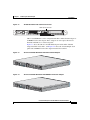
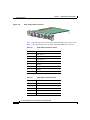
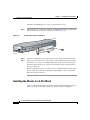
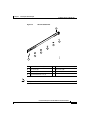
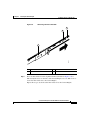
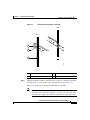
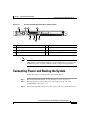
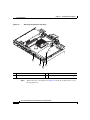
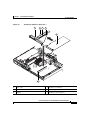
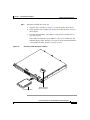
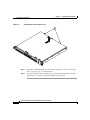
Figure 3-7
Attaching the Slide Rails to the Rack
Front
Rear
1
2
83199
3
Step 5
1
Tab
3
Rear flange
2
Adjustment screw
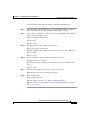
Align the slide rail assembly to the front flange on the rack, and insert and tighten
two M6 screws to secure the slide rail to the front flange. (See Figure 3-7.)
Repeat Step 4 and Step 5 to install the other slide rail assembly.
Note
If it is necessary to adjust the length of the slide rail, loosen the
adjustment screw (labeled 2 in Figure 3-7) on the rear of the slide rail;
then adjust the length of the slide rail and tighten the adjustment screw.
Cisco Content Engine 511 and 566 Hardware Installation Guide
OL-5756-01
3-9