1
Chapter 12 Configuring IRB
IRB Configuration Example
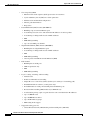
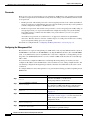
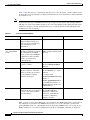
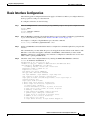
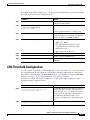
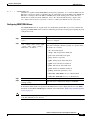
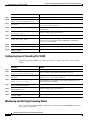
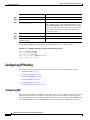
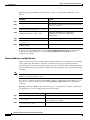
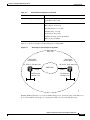
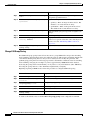
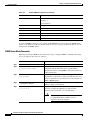
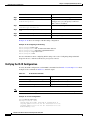
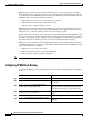
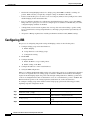
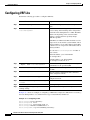
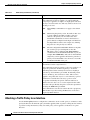
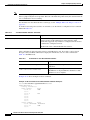
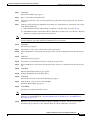
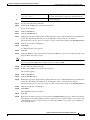
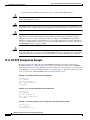
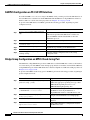
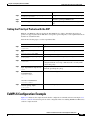
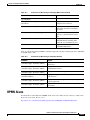
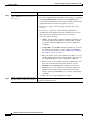
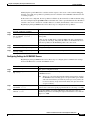
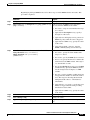
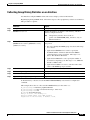
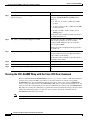
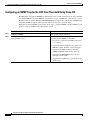
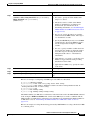
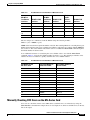
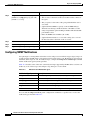
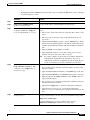
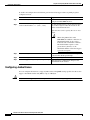
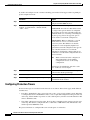
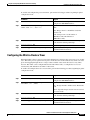
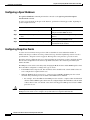
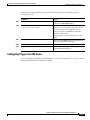
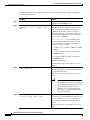
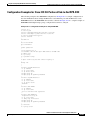
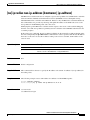
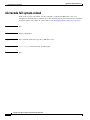
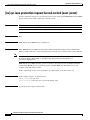
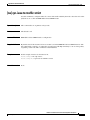
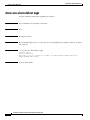
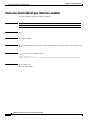
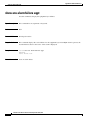
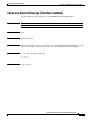
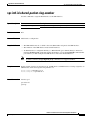
To enable and configure IRB and BVI, perform the following procedure, beginning in global
configuration mode:
Command
Purpose
Step 1
Router(config)# bridge irb
Enables IRB. Allows bridging of traffic.
Step 2
Router(config)# interface bvi bridge-group
Configures the BVI by assigning the number of the
corresponding bridge group to the BVI. Each bridge
group can have only one corresponding BVI.
Step 3
Router(config-if)# ip address ip-address
ip-address-subnet-mask
Configures IP addresses on routed interfaces.
Step 4
Router(config-if)# exit
Exits the interface configuration mode.
Step 5
Router(config)# bridge bridge-group route
protocol
Enables a BVI to accept and route routable packets
received from its corresponding bridge group.
Enter this command for each protocol that you want
the BVI to route from its corresponding bridge
group to other routed interfaces.
Step 6
Router(config)# end
Returns to the privileged EXEC mode.
Step 7
Router# copy running-config startup-config
(Optional) Saves your configuration changes to
NVRAM.
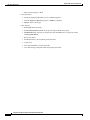
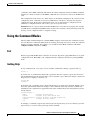
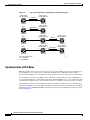
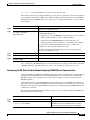
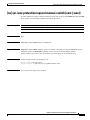
IRB Configuration Example
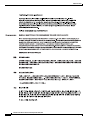
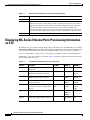
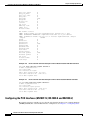
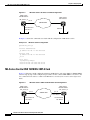
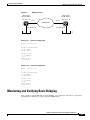
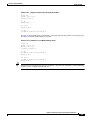
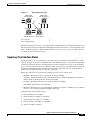
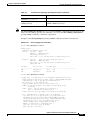
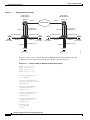
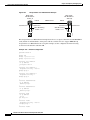
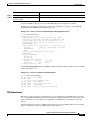
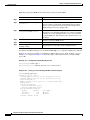
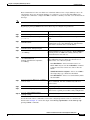
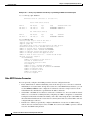
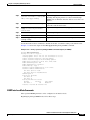
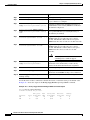
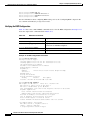
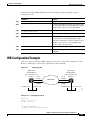
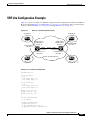
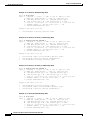
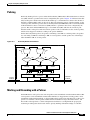
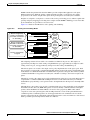
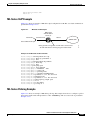
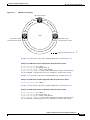
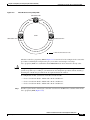
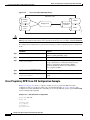
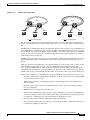
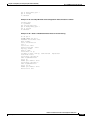
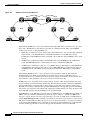
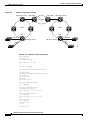
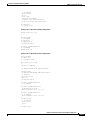
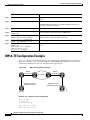
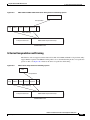
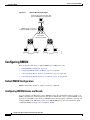
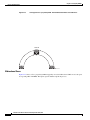
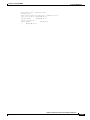
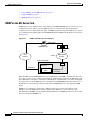
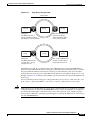
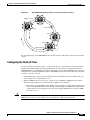
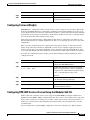
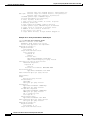
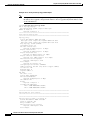
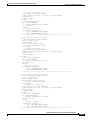
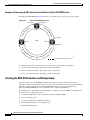
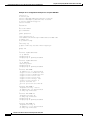
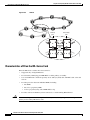
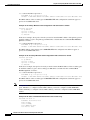
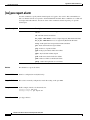
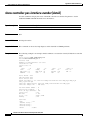
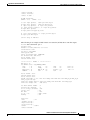
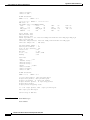
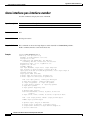
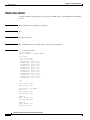
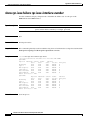
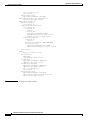
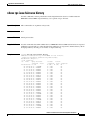
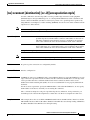
Figure 12-1 shows an example of IRB configuration. Example 12-1 shows the configuration code for
Router A, and Example 12-2 shows the configuration code for Router B.
Figure 12-1
Configuring IRB
ONS 15454
with ML100T-12
BVI 1 192.168.1.2/24
ONS 15454
with ML100T-12
BVI 1 192.168.1.1/24
Router_A
pos 0
bridge 1
pos 0
bridge 1
Router_B
SONET/SDH
pos 1
bridge 1
fast ethernet 0
fast ethernet 0
192.168.3.1/24
83446
192.168.2.1/24
pos 1
bridge 1
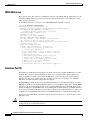
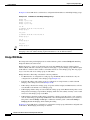
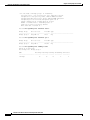
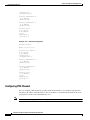
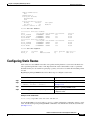
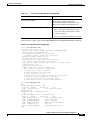
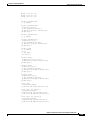
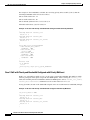
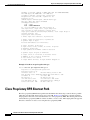
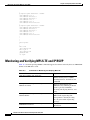
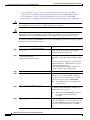
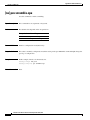
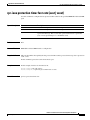
Example 12-1 Configuring Router A
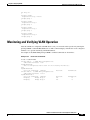
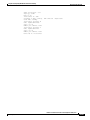
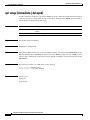
bridge irb
bridge 1 protocol ieee
bridge 1 route ip
!
!
interface FastEthernet0
ip address 192.168.2.1 255.255.255.0
Ethernet Card Software Feature and Configuration Guide, R7.2
January 2009
12-3