1
Chapter 4 Configuring Interfaces
Basic Fast Ethernet, Gigabit Ethernet, and POS Interface Configuration
Basic Fast Ethernet, Gigabit Ethernet, and POS Interface
Configuration
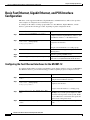
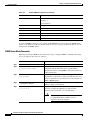
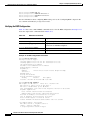
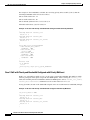
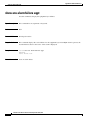
ML-Series cards support Fast Ethernet, Gigabit Ethernet, and POS interfaces. This section provides
some examples of configurations for all interface types.
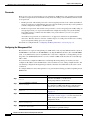
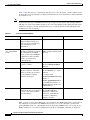
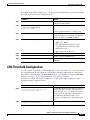
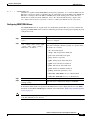
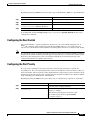
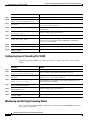
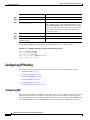
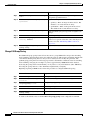
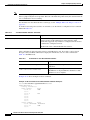
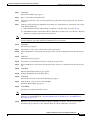
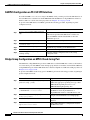
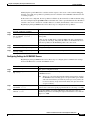
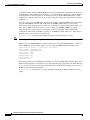
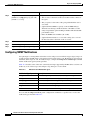
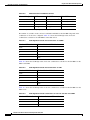
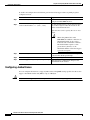
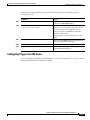
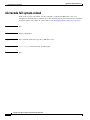
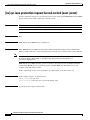
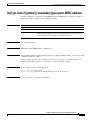
To configure an IP address or bridge-group number on a Fast Ethernet, Gigabit Ethernet, or POS
interface, perform the following procedure, beginning in global configuration mode:
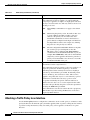
Command
Purpose
Step 1
Router(config)# interface type number
Activates interface configuration mode to
configure either the Gigabit Ethernet interface, the
Fast Ethernet interface, or the POS interface.
Step 2
Router(config-if)# {ip address ip-address
subnet-mask | bridge-group
bridge-group-number}
Sets the IP address and IP subnet mask to be
assigned to the interface.
or
Assigns a network interface to a bridge group.
Step 3
Router(config-if)# no shutdown
Enables the interface by preventing it from
shutting down.
Step 4
Router(config)# end
Returns to privileged EXEC mode.
Step 5
Router# copy running-config startup-config
(Optional) Saves configuration changes to timing
and control card (TCC2/TCC2P) flash database.
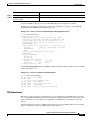
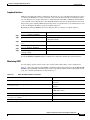
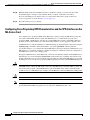
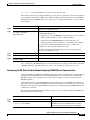
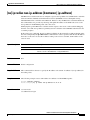
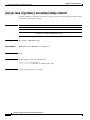
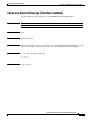
Configuring the Fast Ethernet Interfaces for the ML100T-12
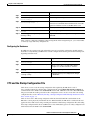
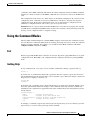
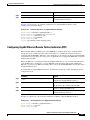
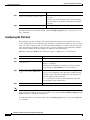
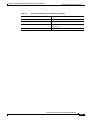
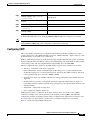
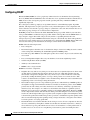
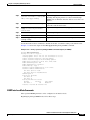
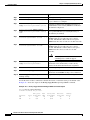
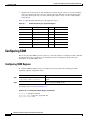
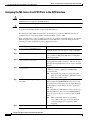
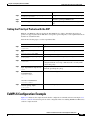
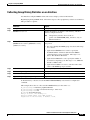
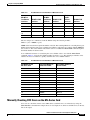
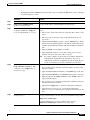
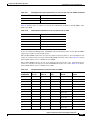
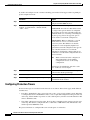
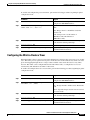
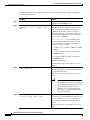
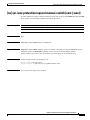
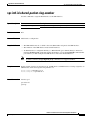
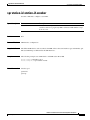
To configure the IP address or bridge-group number, speed, duplex, and flow control on an ML100T-12
Fast Ethernet interface, perform the following procedure, beginning in global configuration mode:
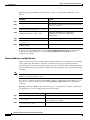
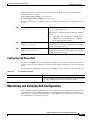
Command
Purpose
Step 1
Router(config)# interface fastethernet
number
Activates interface configuration mode to
configure the Fast Ethernet interface.
Step 2
Router(config-if)# {ip address ip-address
subnet-mask | bridge-group
bridge-group-number}
Sets the IP address and IP subnet mask to be
assigned to the interface.
or
Assigns a network interface to a bridge group.
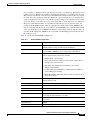
Step 3
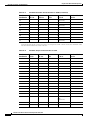
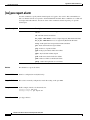
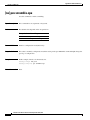
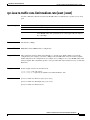
Router(config-if)# [no] speed {10 | 100 |
auto}
Step 4
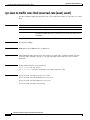
Router(config-if)# [no] duplex {full
| auto}
|
half
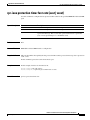
Configures the transmission speed for 10 or
100 Mbps. If you set the speed or duplex for auto,
you enable autonegotiation on the system. In this
case, the ML-Series card matches the speed and
duplex mode of the partner node.
Sets full duplex, half duplex, or autonegotiate
mode.
Ethernet Card Software Feature and Configuration Guide, R7.2
4-4
January 2009