1
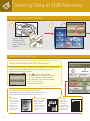
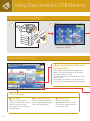
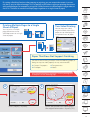
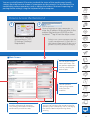
You can print data stored in memory media. You can also have the machine
automatically adjust a PDF or XPS file to print to a selected and loaded paper size, and
can set sorting or stapling when printing multiple pages. Furthermore, you can print
files that have been stored in another imageRUNNER ADVANCE by accessing it.
3
4
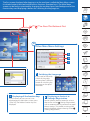
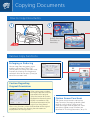
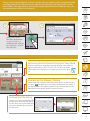
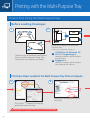
Select the USB where the print data
is stored → select the data you
want to print → press [Print].
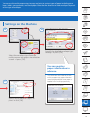
Configure the print settings
→ press [Start Printing].
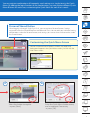
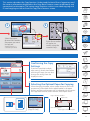
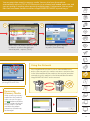
Using the Network
If an imageRUNNER ADVANCE with an Advanced Box exists
on the same network, this machine can access and print data
in the Advanced Box of that machine. You can also store data
scanned using this machine in the Advanced Box of another
imageRUNNER ADVANCE on the network.
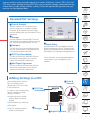
You can use this feature when
printing PDF or XPS files.
Network
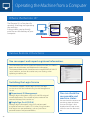
Removing
Memory Media
When removing memory
media from the machine,
make sure you first press
the
button and follow
the instructions displayed
on the screen. If you do
not follow the proper
procedure, the data may
be damaged.
21