1
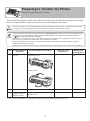
Preparing to Transfer the Printer
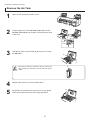
Remove the Ink Tank
1
PM
PM
M
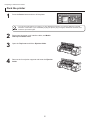
Lift the stopper (a) of the Ink Tank Lock Lever. Lift the
Ink Tank Lock Lever until it stops, and then push it down
to the front.
M
2
Open the left and right ink tank covers.
BK
BK
R
R
GG
GG
B
B
B
a
3
Hold the Ink Tank by the handle (a) and remove it. Press
the OK button.
a
PM
M
BK
R
G
B
• Store the Ink Tank you removed in the box with the ink
hole (a) facing up. Otherwise, ink may leak and cause
stains.
4
5
a
Repeat steps 2 and 3 to remove all ink tanks.
a
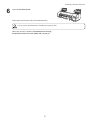
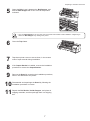
Push down the release lever (a) as shown as you gently
return all ink tank lock levers to the original position.
PM
M
PM
BK
R
G
B
4












![4 Fare clic su [OK]](http://vs1.manualzilla.com/store/data/006160518_1-ecbfa5800aa7e22e762bce920beb4116-150x150.png)