1
9
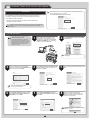
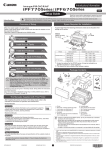
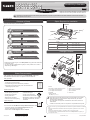
After reviewing the installation results in
the Complete Installation window, click
Next.
10
In the Finish window, select Restart my
computer now and click Restart.
11
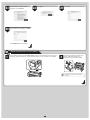
The printer driver settings take effect after
the computer restarts. This completes
printer driver installation.
An iPFxxxx Support desktop icon
is created after installation. (iPFxxxx
represents the printer model.)
Next, follow steps 12-16 on page 7 to
install the User Manual.
12