1
Step
3.
Description
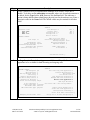
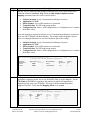
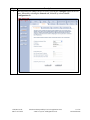
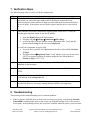
The Avaya AP-8 can support two wireless networks: Wireless A (802.11a) or Wireless
B (802.11bg). Avaya one-X Mobile will use the Wireless B network. A Network
Name or SSID must be defined for this network. To do this, select the Configure
button in the left pane. Navigate to the InterfacesÆWireless-B tab. Enter a text string
in the Network Name (SSID) field. Default values can be used for all other fields.
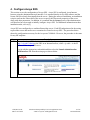
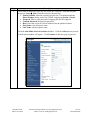
6. Configure Avaya one-X Mobile
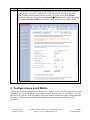
This section covers the configuration of Avaya one-X Mobile. Some of the following steps are order
dependent. Care should be taken to perform these steps in the order shown. In addition, even if the
phone is to be used only as a WiFi phone, a SIM card must be installed for proper configuration and
operation. A SIM card is provided by the cellular service provider when cellular service is
purchased.
CTM; Reviewed:
SPOC 10/15/2007
Solution & Interoperability Test Lab Application Notes
©2007 Avaya Inc. All Rights Reserved.
14 of 22
oneXmobileAP8