1
45
Chapter 7
Sending messages
This chapter describes how to send messages and explains:
•
•
•
•
•
•
Recording and sending messages
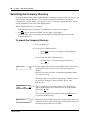
Searching the Company Directory
Assigning message delivery options
Sending a message to more than one recipient
Replying to messages
Placing a call with Thru-Dial
Recording and sending messages
The messages you record must be longer than three seconds. The system times out after five
seconds of silence.
²á¡Ú
²á¡â
You can record and send messages using:
•
•
the Open Mailbox feature
the Leave Message feature
When you use the Open Mailbox feature, you open your personal mailbox and enter your
password. Then you record your message and enter the mailbox number of the message recipient.
When you use the Leave Message feature, you enter the extension of the message recipient
immediately. Then you record your message. You do not enter your password or open a mailbox.
When you record and send messages you can:
•
•
•
search the Company Directory
refer to “Searching the Company Directory” on page 50
assign message delivery options
refer to “Message delivery options” on page 51
send a message to more than one recipient
refer to “Sending a message to more than one recipient” on page 55
Use the procedures that apply to your interface:
•
•
•
•
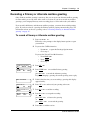
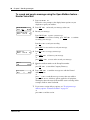
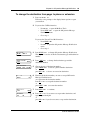
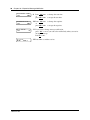
“To record and send a message using the Open Mailbox feature - Norstar Voice Mail” on page
46
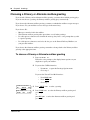
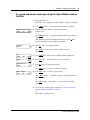
“To record and send a message using the Open Mailbox feature - CallPilot” on page 47
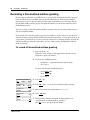
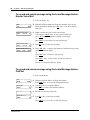
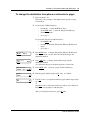
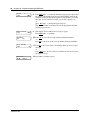
“To record and send a message using the Leave Message feature - Norstar Voice Mail” on page
48
“To record and send a message using the Leave Message feature - CallPilot” on page 48
CallPilot Reference Guide