1
BCM Monitor
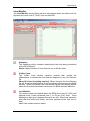
Direction: Direction of the call present on the line Outgoing is shown
when the call originates from the BCM outward and Incoming is shown
when the call is originated from outside and directed at the BCM.
Start Time: BCM time and date at which the call started.
User: Shows the DN and Name of the BCM user that is involved in the
call.
State: Idle: No active call on the line. Dialing: BCM user in the process
of dialing the digits to place a call. The dialled digits appear in the
Number and Name as the user dials. Alerting: A call has been received
on the line and a BCM user‟s phone is ringing. Connected: The line has
a connected call. Held: The line has a held call.
Number and Name: Number and name of the far-end used involved in
the call.
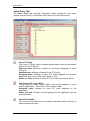
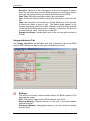
Usage Indicators Tab
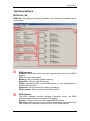
The Usage Indicators tab provides real time information about the BCM
system, MSC Resources and certain types of telephony devices.
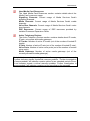
BCM Info:
The BCM Info section contains details about the BCM system‟s CPU
and memory usage.
CPU: The current usage on the BCM system‟s main CPU.
Physical Memory: Physical memory in use (out of the total installed
physical memory).
Non-paged Memory: Non-paged memory in use (out of the non-paged
memory pool).
24
NN40011-030 Issue 1.2 BCM Rls 6.0