1
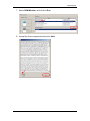
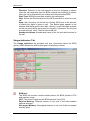
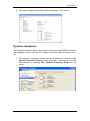
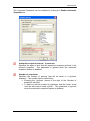
BCM Monitor The Automatic Snapshot can be enabled by ticking the Enable Automatic Snapshot box. Automatic snapshot interval - In seconds: Specifies the lapse of time that will separate successive pictures in the dynamic snapshot. This parameter is ignored when the automatic snapshot feature is disabled. Number of snapshots: Specifies the number of pictures that will be taken in a dynamic snapshot. The number can be selected by: Pressing the „up-down‟ arrows to the right of the “Number of snapshot” edit field. To select an infinite number of snapshots, hold the „down‟ arrow until the edit control reads „Infinite‟. This parameter is ignored when the automatic snapshot feature is disabled. NN40011-030 Issue 1.2 BCM Rls 6.0 31