1
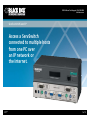
Typical application. Features Office 2 » IP port allows direct connection to an Ethernet LAN and to the Internet. » Provides remote access to multiple host computer systems. » Allows a remote user to effortlessly control multiple systems. » Flash upgradable. » Color-coded connectors for easy setup. » Rackmount one or two ServSwitch™ units using the optional rackmount kits. Office 3 ServSwitch Octet Basic User Station (KV1711A) 8 x 32 ServSwitch Octet Base Unit (KV1701A); Supports Eight User Consoles ServSwitch Octet Basic User Station (KV1711A) Network Operation Center ServSwitch Octet Basic User Stations (KV1711A) Office 1 ServSwitch Wizard ™ IP (ACR2004A) Remote User Laptop PC or Mac ServSwitch Octet™ Basic User Station (KV1711A) PC, Mac, or Sun User Console PC, Mac, or Sun User Console CAT5 100-MHz Solid Bulk Cable (EYN840A) CAT5 100-MHz Solid Bulk Cable (EYN840A) WAN PC, Mac, or Sun User Consoles with Local Computers PC, Mac, or Sun User Console Data Center B Servers with Server Access Modules for PS/2 (KV1720A) and Sun (KV1722A) CAT5 100-MHz Solid Bulk Cable (EYN840A) Data Center A Servers with Server Access Modules for Mac USB (KV1721A) OVERVIEW Working at home from a solitary PC? Or do you have a single PC or just a few PCs in your small office? Your PC(s) can use remote control to access your company’s remote servers at the opposite end of an IP network or over the Internet. In fact, remote control for SOHO (small-office home-office) networks has been available for years. However, typical remote control applications usually require that software be installed on all computers in the network. But with the ServSwitch Wizard IP, complicated software on every computer isn’t required. The only software needed is a simple utility that you install only on the remote PC in your home or office. With the ServSwitch Wizard IP, you can peruse the Internet or access multiple CPUs attached to a 16-Port ServSwitch Quadro™ (KV6416FA-R2)—all from a remote PC. The ServSwitch Wizard IP provides an easy, low-cost, primarily hardware way to connect to the remote hosts. An enhanced VNC server is embedded into the ServSwitch Wizard IP’s hardware. VNC, the standard for remote control, is widely used on home computers, small offices, government offices, schools, universities, and most larger companies. 01/28/2010 #11897 724-746-5500 Color-coded connectors enable a non-technical office manager to easily set up the ServSwitch Wizard IP. It connects via its front-panel 10-/100-Mbps autosensing RJ-45 port over an IP network or the Internet to your remote PC. Or, connect to the remote PC via the ServSwitch IP’s rear-mounted COM1 DB9 modem (network) port. The ServSwitch Wizard IP’s initial configuration is easy, too. It requires a keyboard-video-mouse (KVM) connection to your servers. Along with the remote PC’s simple software utility, configuration is done using the embedded VNC server. Once connected, you can access remote servers via a keyboard, video monitor, and mouse connected directly to the ServSwitch Wizard IP. If the power fails, you can reboot the ServSwitch IP remotely over the Internet via a power switch attached to the unit. An optional power switch (call Tech Support for details) attaches to the DB9 COM2 power control connector on the back of the ServSwitch IP. The USB port on the rear panel’s right side allows you to connect Sun USB or Mac USB computers to the ServSwitch IP. blackbox.com 2 of 3 BLACK BOX ®