1
Fun With Functions
“How To”
The following will demonstrate how to store a value for a variable, input a function
to generate a table, and enter data into a table to construct a graph with the Casio
fx-9750 GII.
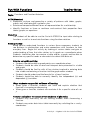
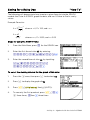
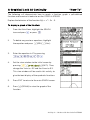
To store a value for a variable:
1.
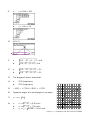
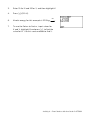
To store 5 for the variable x, input:
5bfl.
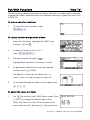
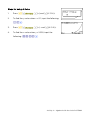
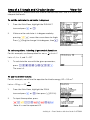
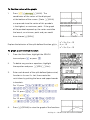
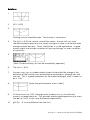
To input a function and generate a table:
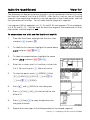
1.
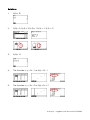
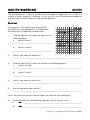
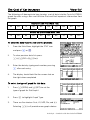
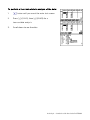
From the Main Menu, highlight the TABLE icon
and press l or 5.
2.
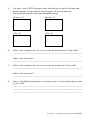
To enter a function such as 3x – 1,
input: 3f-1l.
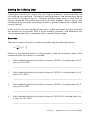
3.
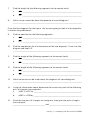
The equal sign to the right of Y1: is
highlighted to indicate this function is active.
4.
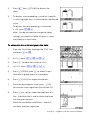
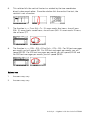
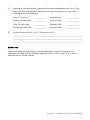
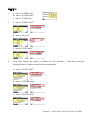
To generate a table of values for the selected
function, press u(TABL).
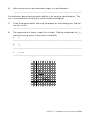
The default x-values for the table menu is x
starts 1, ends at 5 and increases by steps of 1.
5.
To navigate through the table, use the replay pad
!$BN.
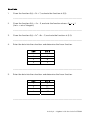
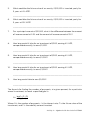
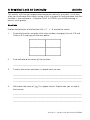
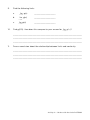
To adjust the values in a table:
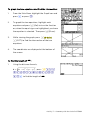
1.
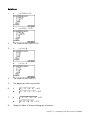
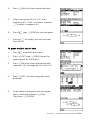
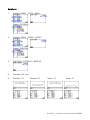
Use d to return to the TABLE home screen. Press
y(SET) to change the default table values.
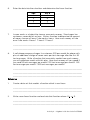
Enter 0 for the start value, 20 for the end value
and a step value of 1, pressing l after each entry.
Activity 4 • Algebra I with the Casio fx-9750GII