1
Chapter 1: Enhancing Development with Dojo Core
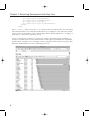
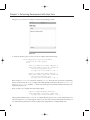
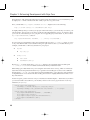
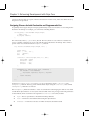
In Figure 1-2, you can see an example of what all the preceding produces.
Figure 1-2
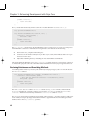
To reinforce the ideas, take a look at a few more widgets declared in markup:
<div dojoType="dijit.layout.AccordionPane"
title="Form #1" class="apane">
<form>
<label for="fname">First Name</label><br />
<input name="fname" type="text" length="10"
trim="true" propercase="true"
dojoType="dijit.form.TextBox" /><br />
<label for="lname">Last Name</label><br />
<input name="lname" type="text" length="10"
trim="true" propercase="true"
dojoType="dijit.form.TextBox" /><br />
Here’s another AccordionPane, this time containing a <form>. The form starts off with two input fields
that are also declared to be TextBox widgets. These both include parameters in the form of trim = "true"
and propercase = "true" attributes — which cause whitespace to be trimmed and the first letter to be
capitalized, respectively.
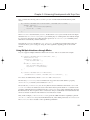
Next, it’s time to try a slightly more interesting widget:
<label for="bday">Birthday</label><br />
<input name="bday" type="text" length="10"
dojoType="dijit.form.DateTextBox" /><br />
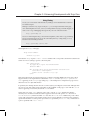
Although the markup for this DateTextBox is simpler than the previous two, it does dramatically more.
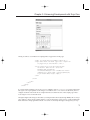
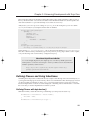
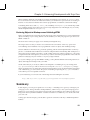
Check out Figure 1-3 to see what happens when a user clicks this new input field. Without much fuss at
all, a full-featured calendar date selection widget can be integrated into a simple HTML form.
6