1
INTRODUCTION
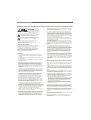
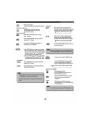
Select a DVD disc
About DVD
DVD Region Code
DVD (Digital Versatile Disc) is a digital video medium
under the MPEG II format, featuring a variety of
revolutionary entertainment capabilities. The MPEG II
video compression technology provides capacity for an
excellent picture of minimum 500 lines resolution on
screen, up to 8 language soundtracks, up to 9 views
from different camera angles and up to 32 language
subtitles (provided by the DVD disc itself which supports
these features).
Disc information
Disc types
DVD discs and DVD players are manufactured
under the worldwide agreed DVD Regional
Code System that the player will operate only
with corresponding disc of the same Regional
Code.
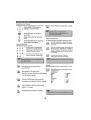
Region code
Region
1
Canada, USA
2
Europe (incl. Poland, Romania, The Czech
republic), Japan, Middle East (incl. Saudi
Arabia, Egypt, Iran, South Africa)
3
East Asia (incl. Hong Kong, Taiwan, South
Korea),
South-East Asia
4
Australia, Caribbean, Central & South
America, Mexico,
New Zealand
5
Africa, Former Soviet Union, India, North
Korea, Pakistan, Turkmenistan
6
China
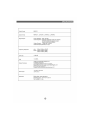
DVD
CD
Digital / MPEG II
Digital
Single-layer / Single side
4.7GB = 2 hr
Single-layer / Double sides
8.5GB = 4 hr
Double-layers / Single side
9.4GB = 4.5 hr
Double-layers / Double sides
17GB = 8 hr
650MB = 74min
Disc size
12cm / 8cm
12cm / 8cm
Horizontal
Resolution
500 lines up
-
Sub-titles
32
-
Care of disc
Sound tracks
8
1
Video disc contains high-density compressed data
that needs proper handling
D ecoding
Method
Capacity
Symbol
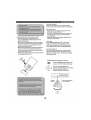
Hold the disc with fingers. Hold the disc's outer
edge and/or the center spindle hole. Do not touch
the disc surface.
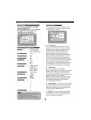
DVD features symbols
Each DVD disc contains various features depending
on production of the disc. Below are some of the
symbols representing the features:
2
Number of Audio Tracks
16 : 9
2
Number of Subtitles
+
2
Angle Indicator
LB
Screen Format
Zoom
The player has built in copyright
protection technology that
prevents copying from a DVD
disc to any media.
If a video recorder is connected to
the player, the video output image
will be distorted during recording.
REMARK
Some features contained in this DVD player are related to
the DVD disc's software.
Some features cannot be performed if the disc does not
support the feature, or requires special settings.
Check the features printed on the disc's packing or follow
the instructions of the Disc's on screen menu.
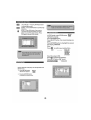
Do not bend or press the disc. Do NOT expose the
disc to direct sunlight or heating sources.
Store discs in cabinet vertically, in dry condition.
Prevent exposure to:
Direct sunlight
Heat or exhaust from a heating device.
Extreme humidity.
Clean the disc surface with a soft, dry cleaning cloth.
Wipe the disc surface gently, radically, from center
toward the outer edge.
Do not apply thinner, alcohol chemical solvent, or
sprays when cleaning. Such cleaning fluids will
permanently damage the disc surface.