1
System Menu and Client Tool > Default Settings on the PC (Client Tool)
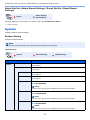
Scan Destination Settings
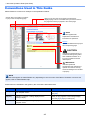
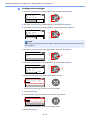
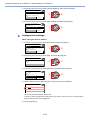
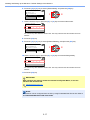
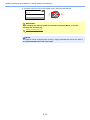
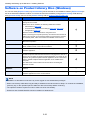
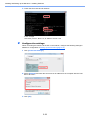
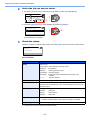
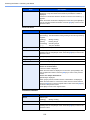
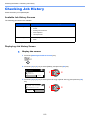
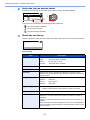
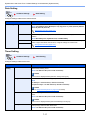
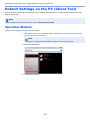
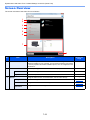
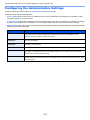
Configure the Scan Destination settings on [Scan Destination] of the [Device] tab.
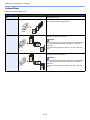
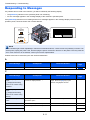
IMPORTANT
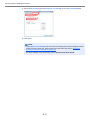
To reflect settings in the machine, the [Reset] key on the operation panel of the machine needs to be pressed.
NOTE
Scan, Print Box, and device monitoring will be disabled while the [Scan] window is open.
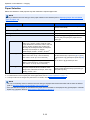
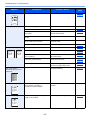
Item
Description
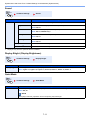
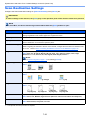
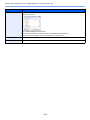
Destination number
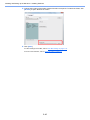
Select the destination number (1 to 30) to be registered. When a destination number is selected, the
settings registered in that number appear in the right-hand screen.
Summary
Shows a list of the settings of the selected program.
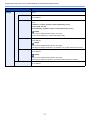
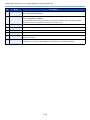
Display name
Set a name for the destination. Up to 16 characters can be entered. This name is displayed when you
select a destination on the machine operation panel.
Connection Settings
Select the interface used to connect with the machine.
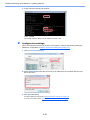
When connecting the machine to the PC on the network, configure the host name or IP address of the
PC in use.*1 Refer to When Connecting the Machine to the PC on the Network on page 2-42.
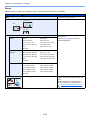
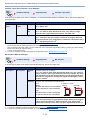
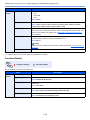
Original size
Specify the size of originals being scanned.
Value: Auto, A3, A4, A5, A6, B4, B5 (JIS), B6, Folio, 216 × 340 mm, Ledger, Letter, Legal,
Statement, 11 × 15", Oficio II, 8K, 16K, Hagaki, Ofuku Hagaki, Custom
NOTE
Refer to Custom Orig.Size on page 7-12 for selecting [Custom].
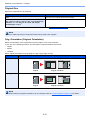
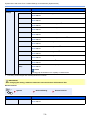
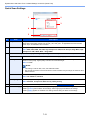
Original image
Select image quality suited to the type of original.
Value:
Text + Photo
Duplex*2
Photo
Text
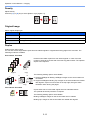
Set duplex of original.
Value:
Off
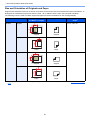
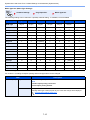
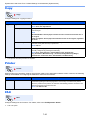
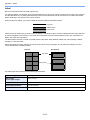
Original orientation
Binding left/right
Binding top
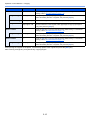
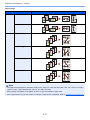
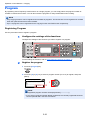
Select the orientation of the original document top edge to scan correct direction.
Value:
Portrait
Top edge top
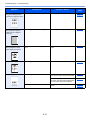
Sharpen
Portrait
Top edge left
Landscape
Top edge top
Landscape
Top edge left
Adjust the sharpness of the image.
Value: None, Low, Medium, High, Descreen (Blurs the outlines and reduces the sharpness.)
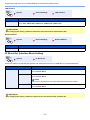
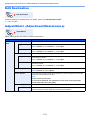
Scan color
Select the color mode setting.
Value: Monochrome, Grayscale, Full color
*1 The optional Network Interface Kit is required.
*2 The optional document processor is required.
7-26