1
Contents
Preface ..................................................................................................................................... i
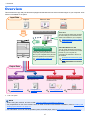
Overview ................................................................................................................................ vi
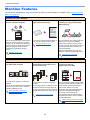
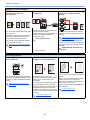
Machine Features ................................................................................................................. vii
Guides Provided with the Machine ...................................................................................... xi
About the Operation Guide (this Guide) ............................................................................ xii
Structure of the guide ................................................................................................... xii
Conventions Used in This Guide................................................................................. xiii
Menu Map ............................................................................................................................. xvi
1
Legal and Safety Information .............................................. 1-1
Notice .................................................................................................................................. 1-2
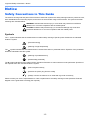
Safety Conventions in This Guide .............................................................................. 1-2
Environment ............................................................................................................... 1-3
Precautions for Use .................................................................................................... 1-3
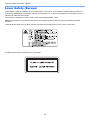
Laser Safety (Europe) ................................................................................................ 1-4
Safety Instructions Regarding the Disconnection of Power ....................................... 1-5
Legal Restriction on Copying/Scanning ..................................................................... 1-5
EN ISO 7779 .............................................................................................................. 1-5
EK1-ITB 2000 ............................................................................................................. 1-5
Legal Information ....................................................................................................... 1-6
Energy Saving Control Function ................................................................................ 1-7
Automatic 2-Sided Copy Function .............................................................................. 1-7
Resource Saving - Paper ........................................................................................... 1-7
Environmental benefits of "Power Management" ....................................................... 1-7
Energy Star (ENERGY STAR®) Program .................................................................. 1-7
2
Installing and Setting up the Machine ................................. 2-1
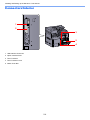
Part Names .......................................................................................................................... 2-2
Machine Exterior ........................................................................................................ 2-2
Connectors/Interior ..................................................................................................... 2-4
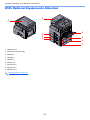
With Optional Equipments Attached .......................................................................... 2-5
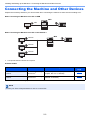
Connecting the Machine and Other Devices ................................................................... 2-6
Connecting Cables ............................................................................................................. 2-7
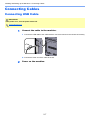
Connecting USB Cable .............................................................................................. 2-7
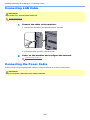
Connecting LAN Cable ............................................................................................... 2-8
Connecting the Power Cable ..................................................................................... 2-8
Power On/Off ...................................................................................................................... 2-9
Power On ................................................................................................................... 2-9
Power Off ................................................................................................................... 2-9
Administrator User Name and Password ....................................................................... 2-10
Administrator Setting ................................................................................................ 2-11
Default Settings of the Machine ...................................................................................... 2-13
Setting Date and Time ............................................................................................. 2-13
Network Setup .......................................................................................................... 2-15
Setting Energy Saver Function ................................................................................ 2-20
Installing Software ........................................................................................................... 2-25
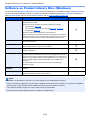
Software on Product Library Disc (Windows) ........................................................... 2-26
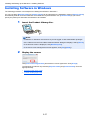
Installing Software in Windows ................................................................................ 2-27
Uninstalling the Software ......................................................................................... 2-32
Setting the Shared Printer and FAX ......................................................................... 2-33
Installing Software in Mac Computer ....................................................................... 2-34
Setting Client Tool .................................................................................................... 2-37
Setting WIA Driver .................................................................................................... 2-44
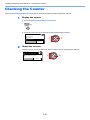
Checking the Counter ...................................................................................................... 2-45
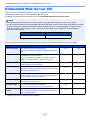
Embedded Web Server RX .............................................................................................. 2-46
Accessing Embedded Web Server RX .................................................................... 2-47
ii