1
Table of Contents
Chapter 1 – Introduction ................................................................................................. 2
1.1 Overview ............................................................................................................ 2
1.2 Specification ...................................................................................................... 2
1.3 Casing Details .................................................................................................... 3
1.4 Package Contents ............................................................................................. 5
1.5 System Requirements........................................................................................ 5
Chapter 2 – Installation & Uninstallation ......................................................................... 6
2.1 Installing Powerline Device ................................................................................ 6
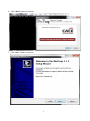
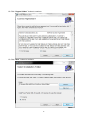
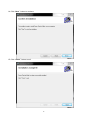
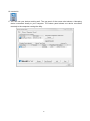
2.2 Installation of Powerline Utility ........................................................................... 6
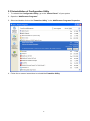
2.3 Uninstallation of Configuration Utility ............................................................... 15
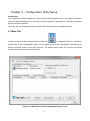
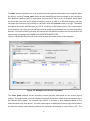
3.1 Main Tab .......................................................................................................... 16
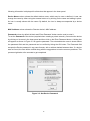
3.2 Privacy Screen ................................................................................................. 21
3.3 Diagnostics Screen .......................................................................................... 22
3.4 About Screen ................................................................................................... 23
Chapter 4 – Individual HomePlug AV Network Stup(Optional....................................... 24
4.1 Creating a new individual HomePlug AV(networkAB) ...................................... 24
4.2 Adding Bridge C to existing Network AB (Network ABC) ................................. 25
4.3 Removing Bridge B from Bridge A & C Network and join with Bridge D & E
(Network BDE) ....................................................................................................... 26
4.4 Troubleshooting ............................................................................................... 27