1
USE ONLY DOMESTIC AC OUTLETS
Connecting the unit to an outlet supplying a higher voltage may create a fire hazard.
HANDLE THE POWER CORD WITH CARE
Do not disconnect the plug from the AC outlet by pulling the cord; always pull the plug itself.
Pulling the cord may damage it. If you do not intend to use your unit for any considerable
length of time, unplug the unit. Do not place furniture or other heavy objects on the cord, and
try to avoid dropping heavy objects on it. Do not tie a knot in the power cord. Not only could
the cord be damaged, but a short circuit could also be caused with a consequent fire hazard.
PLACE OF INSTALLATION
Avoid installing this product under the following conditions:
• Moist or humid places
• Places exposed to direct sunlight or close to heating equipment
• Extremely cold locations
• Places subject to excessive vibration or dust
• Poorly ventilated places
Do not expose this product to dripping or splashing. DO NOT PLACE OBJECTS FILLED WITH
LIQUIDS ON OR NEAR THIS PRODUCT!
MOVING THE UNIT
Before moving the unit, be sure to pull out the power cord from the AC outlet and disconnect
the interconnection cords with other units.
WARNING SIGNS
If you detect an abnormal smell or smoke, turn this product off immediately and unplug the
power cord. Contact your reseller or Vision.
PACKAGING
Save all packing material. It is essential for shipping in the event the unit ever needs repair.
IF ORIGINAL PACKAGING IS NOT USED TO RETURN THE UNIT TO THE SERVICE CENTRE,
DAMAGE IN TRANSIT WILL NOT BE COVERED BY WARRANTY.
OVERVIEW
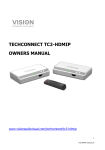
This product converts HDMI signal into native ethernet signal and allows the signal to be routed
through a normal local area network.
3
TC2-MATRIX_manual_en