1
INSTALLATION
1.
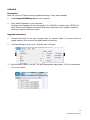
CONNECT HARDWARE TO NETWORK Connect all transmitters and receivers to a network.
2.
DOWNLOAD SETUP SOFTWARE Download configuration software from
www.visionaudiovisual.com/techconnect/tc2-matrix
3.
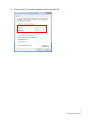
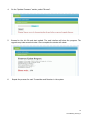
RUN SOFTWARE Un-compress and double-click HDMIoverIP.exe file. This application
does not need to be installed.
NOTE: The OS must be Windows XP or newer. It does not work for Mac.
4.
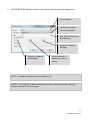
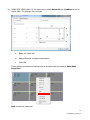
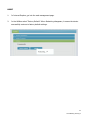
SEARCH FOR DEVICES Click Search in the Devices area.
NOTE: If amending programmed devices check Restore before searching so previous
configuration can be automatically restored.
If you forget to do this delete the devices from the list and Search again with Restore
checked.
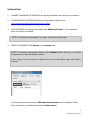
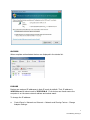
The first time you press search the Windows Security Alert may be displayed. Select
both check boxes in the dialog box and click Allow access.
6
TC2-MATRIX_manual_en