1
Chapter 3 — Configure the SF61B Cordless Scanner
Basic Setup with Configuration Bar Codes
This section provides configuration bar codes for a basic setup of your
scanner. Many more configuration options are available with EasySet
or with your Intermec computer, see Configure Your Scanner with
EasySet and Configure your Scanner From Your Intermec
Computer in the present chapter.
Default values are indicated by “(*)” in this manual and in EasySet.
Reset Your Scanner (Software Reset)
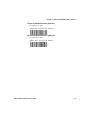
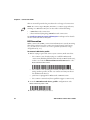
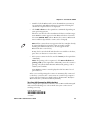
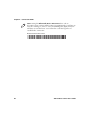
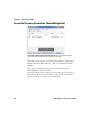
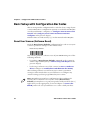
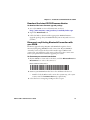
Read the Reset factory defaults configuration bar code to reset your
scanner’s parameter settings to their initial values.
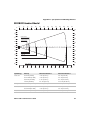
Reset factory defaults
You can also perform a software reset of your SF61B using one of the
following methods:
•
by sending a Reset factory defaults command to the scanner in
online setup with EasySet (see Online Setup with EasySet in the
present chapter)
•
by forcing a software reset of the scanner (see Force a Software
Reset in Chapter 4, Troubleshoot and Maintain the SF61B)
The resulting software reset will reset your scanner’s parameter
settings to their initial values so you will have to reconfigure any
custom settings you have programmed in your scanner.
Note: Depending on your host configuration (device, Bluetooth
version), after a software reset of your scanner (Reset factory
defaults) you may have to re-pair your product with your host device /
application (see the appropriate section in Chapter 2, Connect the
SF61B), and in all cases you will have to re-connect with your host.
50
SF61 Cordless Scanner User’s Guide