1
TROUBLESHOOTING
9
9 TROUBLESHOOTING
9.1 GENERAL GUIDELINES
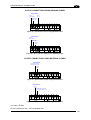
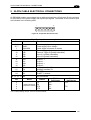
When wiring the device, pay careful attention to the signal name (acronym) on the
CBX100/500 spring clamp connectors (chp. 4). If you are connecting directly to the scanner
25-pin connector pay attention to the pin number of the signals (chp 5).
If you need information about a certain reader parameter you can refer to the Genius™
program help files.
Either connect the device and select the parameter you’re interested in by pressing the F1
key, or select Help/Parameters Help/2K_4K Software Configuration Parameters Guide
from the command menu.
If you’re unable to fix the problem and you’re going to contact your local Datalogic office or
Datalogic Partner or ARC, we suggest providing (if possible) the Device Configuration files
(*.ddc). Connect through Genius™ and click the Save icon from the toolbar. Also note the
exact Model, Serial Number and Order Number of the device.
95