1
IntelliTouch Plus Touch Technology
When connected to Windows 7 computers, the touchmonitor can report 2 simultaneous touches.
The IntelliTouch Plus touchscreen can be re-calibrated to your displayed video image, if
needed, through the Calibration function in the ELO driver control panel.
The IntelliTouch Plus driver will only support multiple monitor if they are all using the
IntelliTouch Plus touch technology.
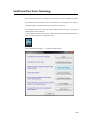
To use multiple IntelliTouch Plus monitors, double click on the EloConfig desktop shortcut to
open up the ELO Touchscreen Configuration screen.
Select “Match Touch to Display…” to calibrate multiple monitors.
2-23