1
Table of Contents
Chapter 1
Introduction
Appendix A
7
Native Resolution .......................................................26
Product Description ....................................................7
Precautions.................................................................7
About the Product.......................................................8
Appendix B
Touchmonitor Safety ...................................................28
Chapter 2
Installation and Setup
Care and Handling of Your Touchmonitor ...................29
Warning ......................................................................29
9
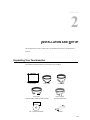
Unpacking Your Touchmonitor ....................................9
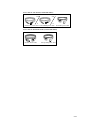
Interface Connection .................................................11
Power Requirements ..................................................11
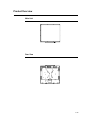
Product Overview .......................................................12
Main Unit ..............................................................12
Rear View .............................................................12
Installing the Driver Software......................................13
Installing the Serial Touch Driver (not applicable to
Acoustic Pulse Recognition and Projected-Capacitive
monitor) ................................................................14
Appendix C
Touchmonitor Specifications .......................................30
17" LCD Touchmonitor (1739L) Dimensions...............31
Regulatory Information 33
Warranty 36
Installing the Serial Touch Driver for Windows
7, Windows Vista, Windows XP, Windows 2000,
Me, 98/95 and NT 4.0 .....................................14
Installing the Serial Touch Driver for
Windows 3.1 and MS-DOS ............................15
Installing the USB Touch Driver ............................16
Installing the USB Touch Driver for Windows 7,
Windows Vista, Windows XP, Windows 2000,
Me, 98/95 and NT 4.0 .....................................16
Chapter 3
Operation
17
About Touchmonitor Adjustments ...............................17
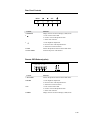
Rear Panel Controls .............................................18
Remote OSD Buttons(option) ..............................18
Controls and Adjustment ............................................19
On Screen Display (OSD) Menu Functions ..........19
On Screen Display (OSD) Control Options ..........20
Preset Modes .......................................................21
Power Management System.................................22
IntelliTouch Plus Touch Technology ............................23
Gesture Support .........................................................24
Chapter 4
Troubleshooting
25
Solutions to Common Problems .................................25
v