1
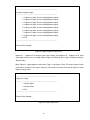
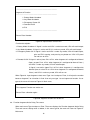
----------------------------------------------------------------------------Function Segment Active Delay Time
----------------------------------------------------------------------------1. Segment 1 Active Delay Time, Current Setting(Immediately)
2. Segment 2 Active Delay Time, Current Setting(Immediately)
3. Segment 3 Active Delay Time, Current Setting(Immediately)
4. Segment 4 Active Delay Time, Current Setting(Immediately)
5. Segment 5 Active Delay Time, Current Setting(Immediately)
6. Segment 6 Active Delay Time, Current Setting(Immediately)
0. Exit
----------------------------------------------------------------------------Please Enter Number:
Figure21. Active delay time Segment select menu
Default of each Segment
Every Segment default is immediately, enter 00 is means immediately
Type 00 and press Enter means active Immediately, and type 01 and press Enter means active
will delay one second, only type one character and press Enter is illegal command, only press
Enter means user do not want to change the setting parameter and menu will return to Figure21.
Active delay time Segment select menu
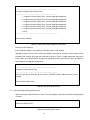
----------------------------------------------------------------------------Segment 1 Active Delay Time
----------------------------------------------------------------------------Please Enter Delay Time 00~99, Only Press <ENTER> Means Abort and Exit Current
Setting
Please Enter Delay Time:
Figure22. Active delay time menu
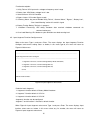
4.7. Return to Default Configuration menu
When main menu Type 5 and press Enter. The menu displays the Return to Default Configuration
as below
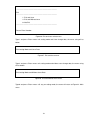
Return to Default(Y/N)?:
Figure23. Default confirm menu
17