1
TOUCHSCREEN OR BUTTONS?
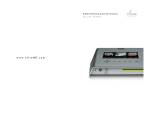
Navigate your O6HD with both the huge Touchscreen
(1) and the buttons. The Navigation Buttons (2) allow
you to move up/down and left/right in the menu. The
Select Button (3) is a dynamic button and gives you
access to different functions depending on where you
are in the menu. The Player Buttons (4) allow you to
start playback of your music and skip between tracks.
Keep the play/pause button pressed for a few seconds to
stop the music playback.
Keep the left navigation button pressed to quickly jump back
to the main menu at all times
To navigate with the touchscreen, simply tap on the
item on the screen.
6 Menu Panels
()*+,&-+./0/1&
&
&
&
234/3*
()*+,&*5)/,3*&
&
&
&
0-.)(&0/675/8
+463/436&/09+5&
&
&
&
0-.)(&40(3
*366+42*&&
&
&
&
&
0/6+*6*& &
&
&
&
&
&
&
&
&
&
&
&
6/0,8*
&
&
'-01-+*6*
&
&
&
&
&
&
!"#$%&'(
!"#$%&'(
"#$%&'(
7 Navigation Bar
10
OLIVE O6HD QUICK START GUIDE