1
ENGLISH
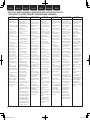
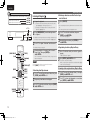
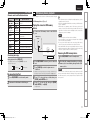
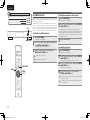
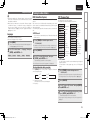
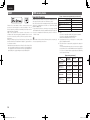
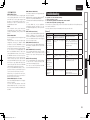
GTunerH
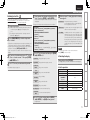
Symptom
Continuous noise
is heard when
receiving FM
programs.
Hissing or
continuous noise
is heard when
receiving AM
programs.
Cause
•Antenna cable is not properly
connected.
•This may be noise from a TV or
interference from a broadcast
station.
Countermeasure
•Connect the antenna cable
properly.
•Connect an outdoor antenna.
•Turn off the TV.
•Change the position and
direction of the AM loop
antenna.
Page
5
–
–
5
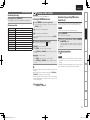
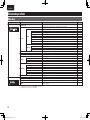
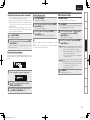
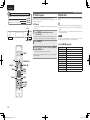
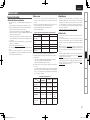
GInternet radio/Music server/iPod/USB memory deviceH
Symptom
Cause
When a USB
•The set cannot recognize a USB
memory device
memory device.
is connected,
•A USB memory device not
“USB/iPod” is not conforming to mass storage
displayed.
class or MTP standards is
connected.
•A USB memory device that
the set cannot recognize is
connected.
•USB memory device is
connected via USB hub.
iPod cannot be
played.
Countermeasure
•Check the connection.
Page
17
•Connect a USB memory device
conforming to mass storage
class or MTP standards.
–
•This is not a malfunction.
DENON does not guarantee that
all USB memory devices will
operate or receive power.
•Connect the USB memory
device directly to the USB/iPod
port.
•Switch the input source to
“USB/iPod”.
–
•The input source is set to
something other than
“USB/iPod”.
•Cable is not properly connected. •Reconnect.
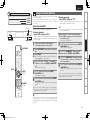
Files on a USB
•USB memory device is in a
•Set the format to FAT16 or
memory device
format other than FAT16 or
FAT32. For details, refer to the
cannot be played.
FAT32.
USB memory device’s operating
instructions.
•USB memory device is divided
•When divided into multiple
into multiple partitions.
partitions, only files stored in the
top partition can be played.
•Files are stored in a non•Record the files in a compatible
compatible format.
format.
•You are attempting to play a file •Files that are copyright
that is copyright protected.
protected cannot be played on
this set.
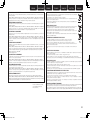
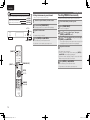
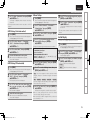
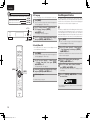
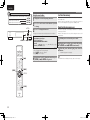
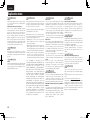
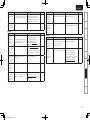
Symptom
Cause
Internet radio
•Ethernet cable is not properly
cannot be played.
connected or network is
disconnected.
•Program is being broadcast in
non-compatible format.
–
8
16
–
–
36
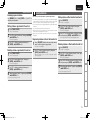
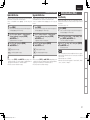
Files stored on a
computer cannot
be played.
Server is not
found, or it is
not possible to
connect to the
server.
Cannot connect
to preset or
favorite radio
stations.
For some
radio stations,
“Server Full”
or “Connection
Down” is
displayed and
station cannot be
connected to.
•The computer’s or router’s
firewall is activated.
•Radio station is not currently
broadcasting.
•IP address is wrong.
•Files are stored in a noncompatible format.
•You are attempting to play a file
that is copyright protected.
Countermeasure
•Check the connection status.
•Only Internet radio programs in
MP3 and WMA can be played
on this set.
•Check the computer’s or
router’s firewall settings.
•Choose a radio station that is
currently broadcasting.
•Check the set’s IP address.
•Record in a compatible format.
•Files that are copyright
protected cannot be played on
this set.
•Set and computer are connected •The set’s USB/iPod port cannot
by USB cable.
be used for connection to a
computer.
•The computer’s or router’s
•Check the computer’s or
firewall is activated.
router’s firewall settings.
•Computer’s power is not turned •Turn on the power.
on.
•Server is not running.
•Launch the server.
•Set’s IP address is wrong.
•Check the set’s IP address.
•Radio station is not currently
•Wait a while before trying again.
broadcasting.
•Radio station is not currently in
•It is not possible to connect to
service.
radio stations that are no longer
in service.
•Station is congested or not
•Wait a while before trying again.
currently broadcasting.
Page
6
37
–
9
20
37
37
–
–
–
–
20
–
–
–
36
40
1.DNP720AEE2_ENG_Final_0727.indd
40
2011/07/30
8:39:28