1
Contents
1. Introduction ............................................................................................................................................ 5
2. Before You Start ..................................................................................................................................... 6
Box Contents Check list – ES-357 & ES-020 ......................................................................................... 6
Box Contents Check list – ES-246/ES-257/ES-313/ES-320 .................................................................. 6
Box Contents Check list – ES-279/ES-346/ES-701/ES-842 .................................................................. 6
Requirements ......................................................................................................................................... 7
System Requirements...................................................................................................................... 7
Network Requirements .................................................................................................................... 7
Supported Operating Systems ............................................................................................................... 7
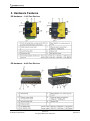
3. Hardware Features ................................................................................................................................ 8
ES Hardware – 1 & 2 Port Devices ........................................................................................................ 8
ES Hardware – 4 & 8 Port Devices ........................................................................................................ 8
Network IP Addressing ........................................................................................................................... 9
Default Settings ...................................................................................................................................... 9
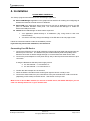
4. Installation ............................................................................................................................................ 10
Connecting Your ES Device ................................................................................................................. 10
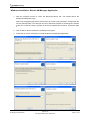
Windows Installation: Boost.LAN Manager Application ....................................................................... 11
Windows Installation: Device Driver ..................................................................................................... 12
5. Finding your Brainboxes COM port ...................................................................................................... 14
Using the ES-device with your Equipment ............................................................................................... 15
If you are using a COM port based application .................................................................................... 15
If you are using a socket based application. ........................................................................................ 15
6. Testing the ES device .......................................................................................................................... 16
7. Advanced Configuration ....................................................................................................................... 17
IP Addressing ....................................................................................................................................... 17
Port Settings ......................................................................................................................................... 18
Changing your COM label .................................................................................................................... 19
RS422/485 Settings .............................................................................................................................. 20
RS485 Full Duplex (ES-357) ................................................................................................................ 21
RS485 Half Duplex Autogating Mode (ES-357 Only) ........................................................................... 22
RS485 Half Duplex Mode (ES-313, ES-320, ES-346 & ES-842) ......................................................... 23
Advanced Settings – TCP/IP Settings .................................................................................................. 25
ES Range Product Manual
Version 2.8
© Copyright Brainboxes Limited 2012
Page 2 of 57