1
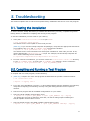
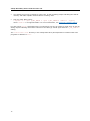
3. Troubleshooting This section explains how to test the Intel® MPI Library installation and how to run a test program. 3.1. Testing the Installation To ensure that the Intel® MPI Library is installed and functioning correctly, complete the general testing below, in addition to compiling and running a test program. To test the installation (on each node of your cluster): 1. Verify that <installdir>/<arch>/bin is in your PATH: $ ssh <nodename> which mpirun You should see the correct path for each node you test. (SDK only) If you use the Intel® Composer XE packages, verify that the appropriate directories are included in the PATH and LD_LIBRARY_PATH environment variables $ mpirun -n <# of processes> env | grep PATH You should see the correct directories for these path variables for each node you test. If not, call the appropriate compilervars.[c]sh script. For example, for the Intel® Composer XE 2011 use the following source command: $./opt/intel/composerxe/bin/compilervars.sh intel64 2. In some unusual circumstances, you need to include the <installdir>/<arch>/lib directory in your LD_LIBRARY_PATH. To verify your LD_LIBRARY_PATH settings, use the command: $ mpirun -n <# of processes> env | grep LD_LIBRARY_PATH 3.2. Compiling and Running a Test Program To compile and run a test program, do the following: 1. (SDK only) Compile one of the test programs included with the product release as follows: $ cd <installdir>/test $ mpiicc -o myprog test.c 2. If you are using InfiniBand*, Myrinet*, or other RDMA-capable network hardware and software, verify that everything is functioning correctly using the testing facilities of the respective network. 3. Run the test program with all available configurations on your cluster. Test the TCP/IP-capable network fabric using: $ mpirun -n 2 -genv I_MPI_DEBUG 2 -genv I_MPI_FABRICS tcp ./myprog You should see one line of output for each rank, as well as debug output indicating the TCP/IP-capable network fabric is used. Test the shared-memory and DAPL-capable network fabrics using: $ mpirun -n 2 -genv I_MPI_DEBUG 2 -genv I_MPI_FABRICS shm:dapl ./myprog 15