1
Settings
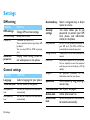
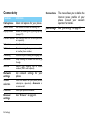
SIM setting
Function
Dedicated key
SIM settings
Definition
Change SIM card slot settings.
SIM1/SIM2 setting
Activate SIM1 or SIM2.
Primary SIM
The default SIM card is SIM1.
You are provided services by primary SIM
by default.
You can select SIM1 or SIM2 as primary
card.
Ask when
power on
Display mode setting screen or
not while power on the phone.
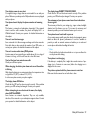
Security
settings
PIN protection
Set PIN or PIN2 password protection for
your SIM card. (The PIN or PIN2 are
provided by the network operator.)
Change PIN/PIN2
Change your PIN and PIN2 passwords as
desired.
Phone lock
Set password protection for your phone.
You are required to enter the password
each time you turn on the phone (1122 by
default).
Safeguard
Set password protection for
information stored on your phone.
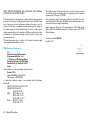
General settings
Time and date
Definition
Select a language for your phone.
Set the clock of the phone.
Auto power-on
time
Set time for the phone to be switched on
automatically.
Auto power-off
time
Set time for the phone to be switched off
automatically.
Function
Language
24 Settings
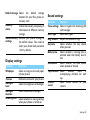
Select a navigation key as direct
access to a menu.
This menu allows you to use
passwords to protect your SIM
card, phone, and information
stored on the phone.
the
Call a contact by long pressing a
numeric key.
Pen calibration See “Stylus” on page 3.
Active slide
Active slide answer on.
Auto screen
Set an time span for the screen to
lock
be locked automatically.
Speed dial