1
MultiMedia
Media player
Player settings
Save AMR, MP3, MIDI, WMA, WAV, AAC and
AAC+ music files under the Audio folder on your
phone and memory card.
Go to Audio player>Settings:
• Music source: Play audio files from your phone
or memory card.
• Repeat: One (play current file repeatedly); All
Play music
(play all the files in the folder repeatedly).
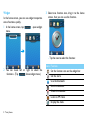
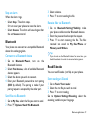
1 Go to Multimedia>Audio player>Tracks,
select your desired song in the folder.
• Shuffle: Play music files in the folder randomly.
• Play in background: Continue to play music
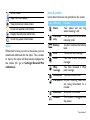
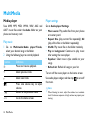
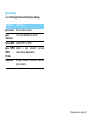
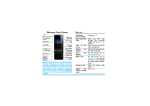
2 Using the following keys to control playback:
Function
,
<
>
R
)
14 MultiMedia
Definition
Pause and resume playback.
Select previous track.
Select next track.
Press side volume key to adjust
volume.
Return to the previous menu.
Go to the home screen.
after exiting the music player.
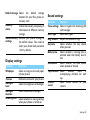
• Equaliser : Select music style suitable to your
songs.
• Refresh list: Refresh all songs in your list.
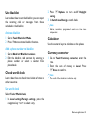
To turn off the music player on the home screen
Use audio player widget, and then tap
the music.
to turn off
Note:
•
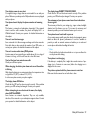
When listening to music, adjust the volume to a moderate
level. Continuous exposure to high volume may impair your
hearing.