1
Edit your wireless networks
Each time you use a wireless network your eReader remembers the network and adds it
to the Known Networks list. If this list gets too long or includes networks that you won’t
use again, you can edit the list.
Note: Keeping a short known networks list will improve the time it takes to auto-connect
to a known Wi Fi network.
To remove networks from your Known Networks list:
1. Press the Home button to go to your Home page.
2.
3.
4.
5.
6.
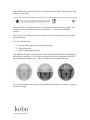
Tap the
Settings icon at the bottom of the screen.
Select Wireless Connection from the Settings list.
Find the Edit Wireless Networks section.
Tap Edit.
Review the list and select the checkboxes next to any networks you want to
remove (or tap Select All).
7. Tap Delete.
8. Tap OK when your eReader asks if you’re sure you want to delete those
networks.