1
Using your Shortlist
Sometimes you may want to keep track of specific books. To make this easier, your
eReader offers a special area in your library for you to create shortcuts to your favorite
books or current reads. This area is called your Shortlist. You can add books to your
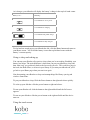
shortlist anytime you see the
Heart icon.
To see your Shortlist:
1. Press the Home button to go to your Home page.
2. Tap the Library menu and select Shortlist.
To add books to your Shortlist:
1. Tap the Library menu and select a list.
2. Find the book you want to add to your Shortlist.
3. Do one of the following:
•
If you see a
your Shortlist.
Heart icon next to the book, tap it to add the book to
•
Otherwise, tap the
Menu icon, or press and hold the cover of the
book to open the menu. Select Add to Shortlist.
To remove a book from your Shortlist:
1.
2.
3.
4.
Press the Home button to go to your Home page.
Tap the Library menu and select Shortlist.
Find the book you want to remove.
Do one of the following:
•
Tap the
•
Otherwise, tap the
Menu icon (if you see one), or press and hold
the cover of the book to open the menu. Select Remove from Shortlist.
Heart icon to remove the book from your shortlist.