1
4.4
Setting up the file upload user
account on your FTP server
Create a user account on your FTP server
that the LAN Docking Station will use to
upload dictation files. This user account needs
the following access rights to the file upload
directory:
• Create subdirectories
• Create and write files
• List directory contents
The user name and password for this user
account must be entered at the LAN Docking
Station configuration interface. See the next
chapter for details.
4.5 FTP settings
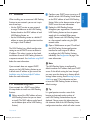
Once you have your FTP server set up, you
must configure the LAN Docking Station to use
it. To configure the FTP settings, follow these
steps:
1 Open the LAN Docking Station
configuration interface by entering its IP
address in your Web browser or using the
LAN Docking Station Administration Tool.
2 If your FTP server can accept secure (SFTP)
connections, check the SFTP radio button
on the FTP settings panel. Otherwise, check
the FTP radio button on the FTP settings
User manual
lfh9160_ifu_en-de-fr-es.indb 11
panel.
3 Enter the domain name or IP address of
your FTP server into the FTP SERVER field.
The FTP server does not have to be on the
the local area network. If you reference
the FTP server using its domain name,
make sure that at least one DNS server is
configured (see Assigning a static IP address
on page 13) or that you are using DHCP
(see Assigning an IP address from DHCP on
page 13).
4 Enter the port number of your FTP server
into the FTP PORT field. The port number
should be 21 for FTP or 22 for SFTP,
unless your FTP server is configured with a
nonstandard port number.
5 Enter the name of the FTP user account
into the USERNAME field. This should be
the user account you have set up to receive
dictation file uploads from the LAN Docking
Station. See Setting up the FTP server on page
9 for more information.
6 Enter the password of the FTP user account
into the PASSWORD field and confirm
the password by typing it again into the
CONFIRM PASSWORD field.
7 Enter the path to the directory to receive
dictation files into the PATH ON SERVER
field. If you want to use the default directory
of the user account, leave the field empty.
8 Press the SUBMIT button at the bottom of
the FTP settings panel in order to save your
changes.
ENGLIS H
Station and are used by the Administration Tool.
See LAN Docking Station Administration Tool on
page 18 for more information.
11
2008-09-01 16:31:56