1
USING YOUR CALLS LIST
Using your calls list
Note: you must subscribe to your network provider’s Caller Display/Caller ID
service for this feature to work. A quarterly fee may be payable.
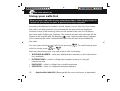
Incoming call telephone numbers should appear in your calls list. If you have
the caller’s number stored in your phonebook the name will be displayed
instead. A total of 30 incoming calls can be stored in the calls list (16 letters
per name and 23 digits per number). The number of new calls received will be
shown in the display with the flashing
icon. If the number doesn’t appear,
this is because the caller’s identification (Call Line ID) has been withheld by
the caller.
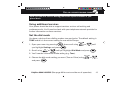
You can open and view your calls list by pressing
calls list simply press
or
. To scroll through your
.
Here are some things you may see on your calls list display:
t WITHHELD NUMBER – caller has withheld their number, or this information
isn’t available
t INTERNATIONA – caller is calling from another country or using an
internet service
t PAYPHONE – caller is calling from a public payphone
t OPERATOR – caller is a telephone network operator
38
Helpline 0844 800 6503 (See page 46 for costs and hours of operation)