1
VIVOTEK
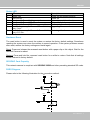
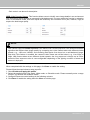
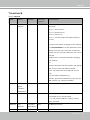
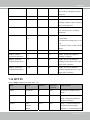
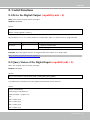
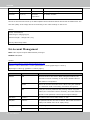
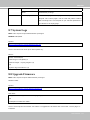
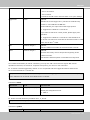
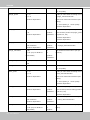
Status LED
Item LED status
Description
1
Steady red
Power on and system booting
Red LED off
Power off
2
Steady red & Green blinking every 1 sec.
Network normal (heartbeat)
Steady red & Green LED off
Network failed
3
Steady red & Green LED blilnking every 2 sec. Audio mute (heartbeat)
4
Red blinking every 0.15 sec. & Green blinking Upgrading firmware
every 1 sec.
5
Red blinking every 0.15 sec. & Green blinking Restoring default
every 0.15 sec.
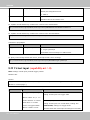
Hardware Reset
The reset button is used to reset the system or restore the factory default settings. Sometimes
resetting the system can return the camera to normal operation. If the system problems remain
after reset, restore the factory settings and install again.
Reset: Press and release the recessed reset button with a paper clip or thin object. Wait for the
Network Camera to reboot.
Restore: Press and hold the recessed reset button for a while to restore. Note that all settings
will be restored to factory default.
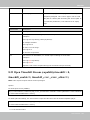
SD/SDHC Card Capacity
This network camera is compliant with SD/SDHC 32GB and other preceding standard SD cards.
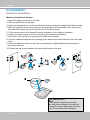
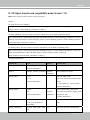
DI/DO Diagram
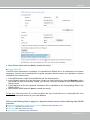
Please refer to the following illustration for the connection method.
12V
PIN 1
Power+12V
PIN 2
Digital output
+12V
PIN 3
Digital input
PIN 4
Ground
User's Manual - 7