1
Introduction
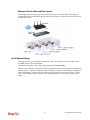
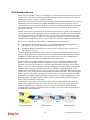
Vigor3200 Series, a broadband router, integrates IP layer QoS, NAT session/bandwidth
management to help users control works well with large bandwidth.
By adopting hardware-based VPN platform and hardware encryption of AES/DES/3DES, the
router increases the performance of VPN greatly and offers several protocols (such as
IPSec/PPTP/L2TP) with up to 32 VPN tunnels.
The object-based design used in SPI (Stateful Packet Inspection) firewall allows users to set
firewall policy easily. CSM (Content Security Management) provides users control and
management in IM (Instant Messenger) and P2P (Peer to Peer) more efficiency than before.
By the way, DoS/DDoS prevention and URL/Web content filter strengthen the security
outside and control inside.
Object-based firewall is flexible and allows your network be safe. In addition, Vigor3200
Series supports USB interface for connecting USB printer to share printer, USB storage device
for sharing files, or for 3G WAN.
Vigor3200 Series provides two-level management to simplify the configuration of network
connection. The user mode allows user accessing into WEB interface via simple configuration.
However, if users want to have advanced configurations, they can access into WEB interface
through admin mode.
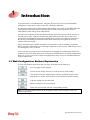
1.1 Web Configuration Buttons Explanation
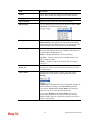
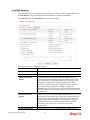
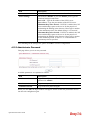
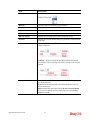
Several main buttons appeared on the web pages are defined as the following:
Save and apply current settings.
Cancel current settings and recover to the previous saved settings.
Clear all the selections and parameters settings, including selection from
drop-down list. All the values must be reset with factory default settings.
Add new settings for specified item.
Edit the settings for the selected item.
Delete the selected item with the corresponding settings.
Note: For the other buttons shown on the web pages, please refer to Chapter 3 and 4 for
detailed explanation.
1
Vigor3200 Series User’s Guide