1
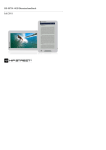
Getting Started EN Power On / Power Off Press and hold the button to turn on/off the device. Charging It’s recommended to charge the battery three successive 12 hours charging cycles. It takes approximately 5 hours to fully charge the device normally. Please recharge the device as soon as possible when the battery is in low-power level shown as . NOTE: Only the special charger may comply with your E-Reader. Direction of an inappropriate external power supply may cause failure of the device and will void the warranty. Connect the host PC USB port and the device with the USB cable provided to start charging. Restoration to Factory Default Setting Reset the device by pressing reset button when device fails to start up or function properly. Using a SD Card (SD Card Not Included) The device supports up to 16GB SD memory card. Insert SD memory card into SD Card Slot. Basic Operations Press and hold the button to turn on the device. It will automatically enter the main menu with 8 options including Recent Files List, eBook, Music, Video, Photo, Explorer, Record, Settings and User Guide. Use the directional pad to select the desired option and press the button || to confirm. Press to return to the main menu. Recent Files List Files viewed in the past will be displayed in the section. Press directional pad to navigate to Recent Files List option and press the button || to confirm selection. Press the buttons ▲/▼ of the directional pad to select the desired file and press the button || to confirm. Press the button to return. EN – 2 5” eBook Reader