1
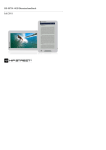
eBook The device supports 7 types of formats including .txt, .html, .doc, .pdf .fb2, .epub, .pdf, etc. Please make sure it is NOT a DRM protected file, which cannot be read by the E-reader. Select file of Flash or SD Card and press button || to confirm. Use ▲/▼ of the directional pad to select the desired file or press page jump buttons to skip to the desired page. Press || to confirm selection. At the interface menu of eBook, press left button of the directional pad to delete the desired file. Hightlight YES and press button || to confirm. Press to cancel directly. NOTE: Only the files but not the whole folder can be performed the file delete. During text playback, press button || to enter the eBook submenu. Seven different options, that is, Page Jump, SaveMark, LoadMark, DelMark, Browser Mode, Flip Time and Mode, are available within the section. Press button || to confirm and press to return the text mode. NOTE: The formats of .PDF and .DOC are unavailable for the function. Music At interface menu of Music, press the directional pad to select the desired file. Press button || to confirm. At interface of music files list, press left button of the directional pad to add the desired file to favorite folder. Hightlight YES and press button || to confirm. Press to cancel directly. 5” eBook Reader EN - 3 EN Press Zoom Button to zoom in/out of contents on screen. Press page jump buttons or directional pad to skip to the desired page. At the interface menu of Recent File List, press left button of the directional pad to delete all the files. Hightlight YES and press || to confirm. Press directly to cancel. Note: If files were saved on the SD card ever, they are still displayed in “Recent Files List” even if the SD card has been removed. But the files cannot be opened if the SD card is removed.