1
V460 Series WinCE User’s Manual
Getting Start
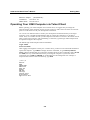
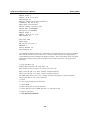
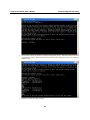
Adapter Index: 2
Address: 80 86 33 33 34 12
DHCP Enabled: NO
Ethernet adapter Local Area Connection:
IP Address: 192.168.14.202
Subnet Mask: 255.255.248.0
Default Gateway: 192.168.15.254
Adapter Name: PCI\RTCENIC1
Description: PCI\RTCENIC1
Adapter Index: 3
Address: 78 56 34 91 cc dd
DHCP Enabled: NO
Host name: V460
Domain Name:
DNS Servers: 192.168.1.6
NODETYPE: 8
Routing Enabled: NO
Proxy Enabled: NO
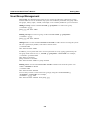
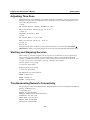
To troubleshoot network connectivity, reach-ability, and name resolution, use the ping command.
This command verifies IP-level connectivity to another TCP/IP computer by sending Internet
Control Message Protocol (ICMP) Echo Request messages. The corresponding return Echo Reply
messages are displayed, along with round-trip times. For more information, type ping without
parameters.
\> ping www.Moxa.com
Pinging Host www.Moxa.com [192.168.1.16]
Reply from 192.168.1.16: Echo size=32 time<1ms TTL=126
Reply from 192.168.1.16: Echo size=32 time<1ms TTL=126
Reply from 192.168.1.16: Echo size=32 time<1ms TTL=126
The route utility allows you to view or modify network routing tables. Type this command
without parameters to view a list of functions.
\> route
To view current routing items in the tables,
\> route PRINT
To add a routing item on network interface 1,
\> route ADD 192.168.0.0 MASK 255.255.0.0 192.168.15.254
To delete a routing item,
\> route DELETE 192.168.0.0
2-8