1
Table of Contents
Chapter 1
Introduction ..................................................................................................1-1
Overview.................................................................................................................................. 1-2
Package Checklist .................................................................................................................... 1-2
Product Features ...................................................................................................................... 1-4
Software Features .................................................................................................................... 1-4
Applications Development Environment ................................................................... 1-4
Networking and Communications Capabilities .......................................................... 1-5
Supporting Servers and Daemons .............................................................................. 1-5
Graphics and Multimedia Tools ................................................................................. 1-6
Learning Firmware Build Versions .......................................................................................... 1-7
Memory and File Systems ....................................................................................................... 1-7
Hive-Based Registry ................................................................................................................ 1-7
Inserting a CompactFlash Card................................................................................................ 1-8
Inserting a USB Mass Storage ................................................................................................. 1-8
RS-232/422/485 Serial Ports.................................................................................................... 1-8
PCMCIA (V462 Only)............................................................................................................. 1-9
Unmanaged Switch Ports (V466 Only).................................................................................... 1-9
Digital IO (V468 Only)............................................................................................................ 1-9
Chapter 2
Getting Started .............................................................................................2-1
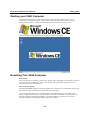
Starting your V460 Computer.................................................................................................. 2-2
Resetting Your V460 Computer ............................................................................................... 2-2
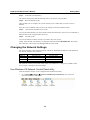
Changing the Network Settings ............................................................................................... 2-3
Use Windows CE Network Control Panel utility ....................................................... 2-3
Using the Command Line to Configure Network Settings......................................... 2-4
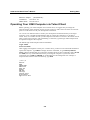
Operating Your V460 Computer via Telnet Client................................................................... 2-5
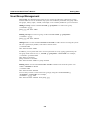
User/Group Management......................................................................................................... 2-6
Adjusting Time Zone ............................................................................................................... 2-7
Starting and Stopping Services ................................................................................................ 2-7
Troubleshooting Network Connectivity................................................................................... 2-7
Simple Network Management Protocol (SNMP)..................................................................... 2-9
Chapter 3
Management Tools.......................................................................................3-1
System Information.................................................................................................................. 3-2
Serial Port Configuration ......................................................................................................... 3-2
Process (Thread) Monitoring/Control...................................................................................... 3-3
Services Monitoring/Control ................................................................................................... 3-3
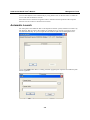
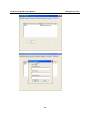
Automatic Launch.................................................................................................................... 3-4
Display..................................................................................................................................... 3-5
User/Group Management......................................................................................................... 3-5
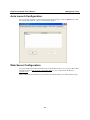
Auto Launch Configuration ..................................................................................................... 3-7
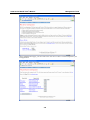
Web Server Configuration ....................................................................................................... 3-7
Chapter 4
System Recovery .........................................................................................4-1
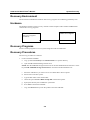
Recovery Environment ............................................................................................................ 4-2
Hardware.................................................................................................................................. 4-2
Recovery Programs.................................................................................................................. 4-2
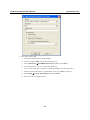
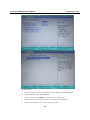
Recovery Procedures ............................................................................................................... 4-2