1
126
Working with Text
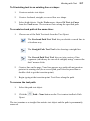
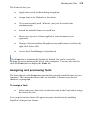
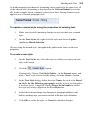
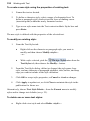
To remove local formatting:
1.
Select locally formatted characters or paragraph(s) as described in the
above table.
2.
Either:
•
Select Clear Formatting from the Styles drop-down list on the
Text context toolbar.
- or -
•
On the Text Styles tab, click the Clear Formatting option.
- or From the same tab, select Apply to Both from the drop-down
menu or Clear Text Formatting from the Format menu).
- or Select Apply to Character to remove all local character
formatting (leaving paragraph formatting untouched).
- or Select Apply to Paragraph to remove all local paragraph
formatting (leaving character formatting untouched).
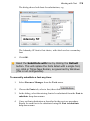
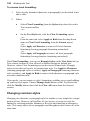
Like Clear Formatting, you can use Reapply Styles on the Text Styles tab (or
Text context toolbar) to clear all local overrides leaving the default text.
However, where Clear Formatting reverts the text to Normal style, Reapply
styles reverts the text back to its current name style. Use Apply to Character
(retaining paragraph styles overrides), Apply to Paragraph (retaining character
style overrides), and Apply to Both to remove both character or paragraph style
overrides simultaneously.
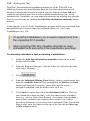
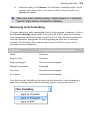
If you prefer, you can remove a style's formatting, enabling you to start building
up your text style again. Choose Manage Styles button on the Text Styles tab,
click the Modify button, then click the Clear All button from the General
section.
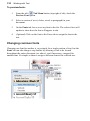
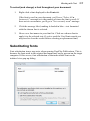
Changing common styles
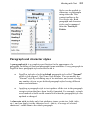
Changing one character or paragraph style for another is very simple for a single
portion of text. However, in PagePlus, it's just as easy to swap one style for
another by selecting multiple instances of the style and choosing an alternative
style. This swaps styles across paragraphs and throughout entire stories all at the
same time.