1
Publishing and Sharing
251
To use PagePlus as an alternative email client:
•
Select Tools>Options.... then select HTML E-mail.
•
Enable Send HTML E-mail using PagePlus, and enter the mail
server name (e.g., mail-srv or mail.company.com). The port number
25 is always used.
Both HTML and image sharing methods share a single page
only. To share a multi-page publication with recipients who
don't use PagePlus, consider outputting your project as a
PDF and then send the PDF as an attachment.
To share a document as an HTML page:
1.
With your publication open, select the page you would like to send.
2.
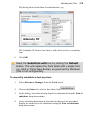
Select Send Page as HTML... from the File menu. The page is added
to the body of a newly created HTML-based email message.
3.
Add the recipient's valid email address to the To... field (or
equivalent).
4.
Select the Send button (or equivalent) on your email program.
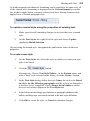
Use this option for Outlook Express, Outlook (pre-Outlook
2007), and Windows Mail.
For Microsoft Outlook programs prior to Office 2007,
remember to uncheck the Use Microsoft Word to edit
email messages option within the program
(Tools>Options>Mail Format in Outlook).