1
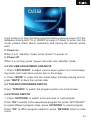
It will continue to play the latest program before previous power off if the
database having and TV or RADIO program.(If failed to enter into the
mode, please check above operations and ensure the remoter works
well).
2. Power on
When it is in “standby” mode, press “power” to power on.
3. Power off
When it is running, press “power” will enter into “standby” mode.
4.2 VOLUME ADJUSTMENT AND MUTE
1. Press “LEFT/RIGHT” to adjust volume when system is in normal playing mode; and it will show volume bar on the image.
2. Press “MUTE” to enter into the mode when normally playing and repress “MUTE” to back the normal state.
4.3 TV/RADIO PROGRAMS SWITCH
Press “TV/RADIO” to switch the programs when it is in full screen.
4.4 STATION SWITCH
1. Press “UP/DOWN” to switch to the previous or next program.
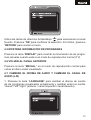
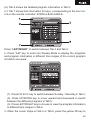
Press “OK” to switch to the speediness program list, press “LEFT/RIGHT”
to select different program class; press “UP/DOWN” to select program.
Press “OK” to affirm program selection, press “RETURN” return to hide
menu.
53