1
Using the POSline SC2120/SC2130/SC2140
CONTENTS
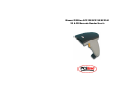
The SC2120/SC2130/SC2140 can automatically scan barcode at a distance.
Simply aim and pull the trigger. Code scanning is performed along the center
of the light bar emitted from the reading window. This bar must cover the entire
code. Successful scanning shall be obtained by tilting the scanner with respect
to the barcode to avoid direct reflections that impair the reading performance,
especially for 2D barcode .
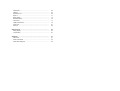
Chapter 1 Introduction
Introduction…………………………..……………………………………
1
Default Setting ……………………………………………………………
2
POSline SC2120/SC2140 specification …….…………………………
3
POSline SC2130 specification …………………………………………
6
Programming the scanner ...……………………………………………
9
.
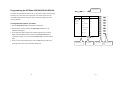
Recommended Steps
When the required settings have been configured, all settings are stored in
non- volatile memory of scanner after reading EXIT Label. Recommended
steps are as follows.
1)
2)
Interface……………………………………………….……………………
11
Interface Selection ………………………………………………………
11
Set right host interface for your scanner.
Keyboard wedge ……………………………………. …………………
12
(The scanner is in factory default shown as bold label)
RS-232 ……………………………………………... ……………………
17
Wand Emulation …………………………….……………………………
20
Set interface to optimize protocol of scanner with your host in interface
section.
3)
Chapter 2 Parameter Setting
Set system control of scanner, such as specific adjustments double
confirm,
System Control………………………………………. …………………
23
Scan ………………………………………………………………………
23
Indication …………………………..………………………………………
27
power saving, indicator and scanning mode which you prefer usage in
system control section.
4)
5)
Code Option…………………………………….…………………………
29
Set code options of scanner for your usage in code option section. You
UPCA ……………………………………..………………………………
29
must make sure to enable the symbology first, then Min./Max. code length,
UPCE ………………………………………………………………………
32
code ID checksum and truncate digits are also convered.
EAN-13 ……………………………………………………………………
35
Set string format of the scanner, such as preamble, postamble Prefix,
EAN-8 ………………………………………………………………………
39
suffix, code ID and code name transmission for your application in string
Code 39 ……………………………………………………………………
42
format section.
Interleaved 2 of 5 …………………………………………………………
46
Note: If still not work properly. Please contact your dealer for further
information.
Industrial 2 of 5 ……………………………………………………………
49
Matrix 2 of 5 Eur …………………………………………………………
51
Codabar ……………………………………………………………………
53
Code-128 …………………………………………………………………
57
Code-93 ……………………………………………………………………
59
Code-11 ………………………………………….………………………
61
MSI/Plessey …………………………………………. …………………
63