1
ENLTV User’s Guide -
Contents:
Chapter 1: Introduction ...................................................................................................................... 4
1.1 - Package Contents............................................................................................................... 4
1.2 - System Requirements ........................................................................................................ 4
Chapter 2: Getting Started ................................................................................................................. 5
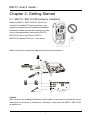
2.1 - ENLTV / ENLTV-FM Hardware Installation .................................................................... 5
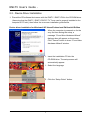
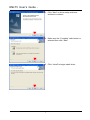
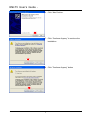
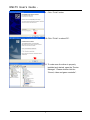
2.2 - Device Driver Installation ................................................................................................. 6
2.3 - Install the DirectX® ........................................................................................................ 14
2.4 - Install the ENLTV Utility software. ................................................................................ 15
Chapter 3: Launch the ENLTV Program ......................................................................................... 20
3.1 - Running the ENLTV for the first time............................................................................. 20
3.2 - Watch TV programs or movies from DVD/VCR/Camcorder ......................................... 22
3.3 - Record Video ................................................................................................................... 23
3.4 - Snapshot Image................................................................................................................ 24
3.5 - Playback Video ................................................................................................................ 24
3.6 - Browse Images ................................................................................................................ 26
3.7 – Time-Shifting .................................................................................................................. 27
3.8 - Using and setting up the FM Radio ................................................................................. 29
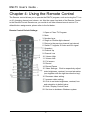
Chapter 4: Using the Remote Control.............................................................................................. 30
Chapter 5: Frequently Asked Questions .......................................................................................... 31
Chapter 6: Technical Support........................................................................................................... 34
3