1
1 Important
Safety
Notice
Introduction
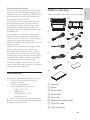
What’s in the box
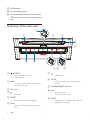
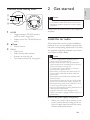
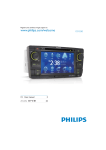
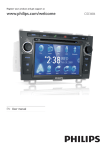
Overview of the main unit
2 Get started
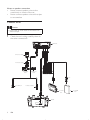
Install the car audio
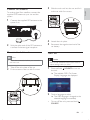
Turn on
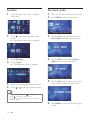
Set date
Set clock mode
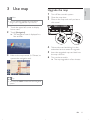
3 Use map
Upgrade the map
4 Play
6 Adjust sound
4
4
4
5
5
6
7
7
9
10
10
11
11
12
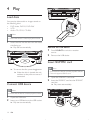
Load discs
Connect USB device
Insert SD/MMC card
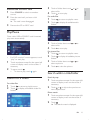
Play/Pause
Search for a folder
Search within a title/folder
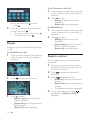
Repeat
Repeat a section
Random play
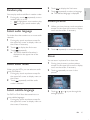
Select audio language
Select audio mode
Select subtitle language
Rotate pictures
Zoom
Select slide show duration
12
12
12
13
13
13
14
14
15
15
15
15
15
15
16
5 Play with Bluetooth device
16
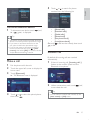
Pair the Bluetooth-enabled devices
Make a call
Receive call
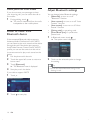
Listen to music from Bluetooth device
Adjust Bluetooth settings
19
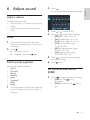
Adjust volume
Mute
Select preset equalizer
Set Dynamic Bass Boost (DBB)
19
19
19
19
7 Adjust settings
20
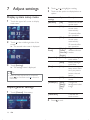
Display system setup menu
Adjust general settings
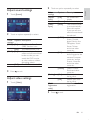
Adjust sound settings
Adjust video settings
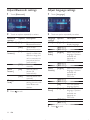
Adjust Bluetooth settings
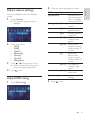
Adjust language settings
Adjust volume settings
Adjust DVD rating
20
20
21
21
22
22
23
23
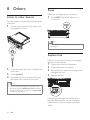
8 Others
24
Listen to other devices
Reset
Replace fuse
24
24
24
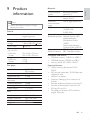
9 Product information
25
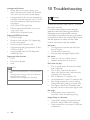
10 Troubleshooting
26
About Bluetooth device
27
11 Glossary
28
16
17
17
18
18
EN
3
English
Contents