Transcript
Accessories
miConverter™ 10/100 Media Converter
User Manual
Wall Mounting Hardware Kit
4381
USB Power Adapter Cable
9130-2
US Domestic AC Power Adapter
9113-PS
Universal AC Power Adapter
(requires AC power cord)
GENERAL:
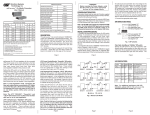
This User Manual covers the following model numbers:
miConverter 10/100 Models
Fiber Mode Type
Dual Fiber [DF] or Distance
Single-Fiber [SF]
Connector Types
ST
SC
Tx
Rx
Wavelength Wavelength
[nm]
[nm]
9115-PS
Europe AC Power Adapter
9116-PS-3
United Kingdom AC Power Adapter
9116-PS-4
Australia AC Power Adapter
9116-PS-5
Japanese AC Power Adapter
9116-PS-8
European Connector Clip*
9116-3
UK Connector Clip*
9116-4
Australian Connector Clip*
9116-5
Japanese Connector Clip*
9116-8
MM / DF
5km
1100-0-x
1102-0-x
1310
1310
SM / DF
30km
1101-1-x
1103-1-x
1310
1310
SM / DF
60km
1101-2-x
1103-2-x
1310
1310
SM / DF
120km
-
1103-3-x
1550
1550
DESCRIPTION:
SM / SF
20km
-
1110-1-x
1310
1550
SM / SF
20km
-
1111-1-x
1550
1310
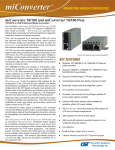
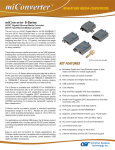
The miniature miConverter™ 10/100 is a rate-switching
UTP copper to 100BASE-FX fiber media converter that
provides cost-effective fiber extension and connectivity.
The miConverter 10/100’s UTP copper port can
automatically detect the speed, duplex-mode and
cross-over mode of the connected device.
SM / SF
40km
-
1110-2-x
1310
1550
SM / SF
40km
-
1111-2-x
1550
1310
When choosing power options, replace (-x) in the model number with
the suffix number that correspondes to the power supply of choice
below. Example: 1103-3-6 stands for 1103-3-x with USB Power Adapter
-1
US Power Supply - 120Volt / 60Hz
-2
Universal Power Supply (requires AC power cord) 100-240Volt / 50-60Hz
-3
Euro Power Supply - 100-240Volt / 50-60Hz
-4
UK Power Supply - 100-240Volt / 50-60Hz
-5
Australia Power Supply - 100-240Volt / 50-60Hz
-6
USB Power Adapter Cable
-8
Japanese Power Supply - 100-240Volt / 50-60Hz
*All spare Connector Clips are interchangeable with AC Power
Adapters 9116-PS-3, 9116-PS-4, 9116-PS-5 and 9116-PS-8
The 100BASE-FX fiber port operates in Full-Duplex mode
and supports single-mode or multimode fiber with ST or
SC fiber connectors. Single-fiber models feature
Bi-Directional fiber and support distances of up to 40km.
The various fiber model options are described in the table
on the first page.
For power supplies -3, -4, -5 and -8, country/region specific clips are used to
provide the necessary power connection.
SPECIFICATIONS:
Protocols
Miniature 10/100 UTP to 100 Fiber
Media Converter
10BASE-T, 100BASE-TX,
100BASE-FX
with 1536 bytes max. frame size,
IEEE 802.3 specification
Cable Types
UTP
Fiber
EIA/TIA 568A/B,
Category 5 and higher
Multimode: 50/125, 62.5/125,
100/140 um
Single-mode: 9/125 um
Connector Types
UTP
Fiber
LED Displays
RJ45
Dual fiber: SC, ST
Single-fiber: SC
Pwr, FO-Lk/Act, UTP-Lk/Act,
UTP-10/100, HDX/FDX
Power Requirements
DC Power
DC Power Connector
AC Power Adapter
[US]
AC Power Adapter
[Universal or
Country/Region Specific]
0.5A @ 5VDC
2.5mm DC Jack - Center Positive
100-120VAC/60Hz
0.03A @ 120VAC
100-240VAC/50-60Hz
0.03A @ 120VAC
POWER ADAPTER NOTICE:
This product should only be used with Omnitron Supplied
Power Unit model numbers 9113-PS, 9115-PS, 9130-2,
9116-PS-3, 9116-PS-4, 9116-PS-5 or 9116-PS-8.
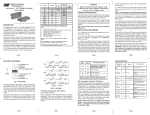
transmiter (Tx) must attach to the receiver side of its
link partner; the receiver (Rx) must attach to the
transmiter.
When using single-fiber (SF) media converter models,
the Tx wavelength on one end has to match the Rx
wavelength on the other. Based on this guideline, the
SF media converter models must be used in pairs,
such as the 1110-1-x matched with the 1111-1-x.
LED INDICATORS:
Function Legend Color
Off
On
In order to guarantee performance when powering the
miConverter 10/100 with the USB Power Adapter cable
(P/N 9130-2), the USB adapter cable must be connected to
a Full-Powered USB Type-A port (5V, 500mA).
Power
Pwr
Amber No power
Power applied
F/O LinkAct
F/O
Green No link
Solid = Link
Blink = Data Received
UTP LinkAct
UTP
Green No link
Solid = Link
Blink = Data Received
Note: Not all USB Type-A ports are Full-Powered
USB ports. The Full-Powered USB Type-A ports are
usually the USB ports found on computer cases or
on self-powered (powered by an AC adapter) USB
hubs.
10(Off) /
100(On)
100
Green UTP at 10Mbps when UTP at 100Mbps
UTP Link is active
when UTP Link is
active
HDX(Off) /
FDX(On)
FDX
Green Half-Duplex when
UTP Link is active
Full-Duplex when UTP
Link is active
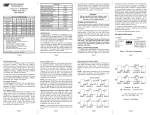
MOUNTING AND CABLE ATTACHMENT:
The miConverter 10/100 can be quick-mounted using
the included Velcro® strips, or permanentaly mounted
using the optional wall-mounting kit (P/N 4381).
Attach the UTP port of the miConverter 10/100 to a
10BASE-T or 100BASE-TX Ethernet device, via a
category 5 cable.
Attach the fiber port of the miConverter 10/100 to a
100BASE-FX Fast Ethernet device, via the fiber cable
of the appropriate mode and type.
When connecting the dual-fiber models, the miConverter
SPECIFICATIONS (CONT):
miConverter 10/100 Specifications
Description
WARNING!
Before inserting the Power Adapter, verify
that the power on the unit is appropriate
for your AC line voltage source.
Dimension
Caution
W:1.71" x L:4.10" x H:0.84"
Weight
without power adapter
with USB power adapter cable
with AC power adapter [US]
with AC power adapter
[Universal]
Compliance
4 oz.
5 oz.
12 oz.
18 oz.
UL, CE, FCC Class A
Temperature
0 to +50oC
-50 to +80oC
Operational - Commercial
Storage
Humidity
(non-condensing)
5% to 95%
Altitude
-100m to 4000m
MTBF [hrs]
without power adapter
with US or
Country/Region Specific
power adapter
with Universal power adapter
1,340,000
250,000
100,000
All user-required operations can be performed without
opening the unit. Never attempt to open or remove the
cover or tamper with the unit.
Warranty
This product is warranted to the original purchaser against
defects in material and workmanship for a period of TWO
YEARS from the date of shipment. A LIFETIME warranty
may be obtained by the original purchaser by REGISTERING
this product with Omnitron within 90 days from the date of
shipment. TO REGISTER, COMPLETE AND MAIL OR FAX
THE ENCLOSED REGISTRATION FORM TO THE
INDICATED ADDRESS. Or you may register your product
on the internet at http://www.omnitron-systems.com.
During the warranty period, Omnitron will, at its option, repair
or replace a product which is proven to be defective.
For warranty service, the product must be sent to an Omnitron
designated facility, at Buyer’s expense. Omnitron will pay
the shipping charge to return the product to Buyer’s
designated US address using Omnitron’s standard shipping
method.
Limitation of Warranty
Warning
The operating description in this Instruction Manual is
for use by qualified personnel only. To avoid electrical
shock, do not perform any servicing of this unit other
than that contained in the operating instructions, unless
you are qualified and certified to do so by Omnitron
Systems Technology, Inc.
The foregoing warranty shall not apply to defects
resulting from improper or inadequate use and/or
maintenance of the equipment by Buyer, Buyer-supplied
equipment, Buyer-supplied interfacing, unauthorized
modifications or tampering with equipment (including
removal of equipment cover by personnel not specifically
authorized and certified by Omnitron), or misuse, or
operating outside the environmental specification of the
product (including but not limited to voltage, ambient
temperature, radiation, unusual dust, etc.), or improper
site preparation or maintenance.
No other warranty is expressed or implied. Omnitron
specifically disclaims the implied warranties of
merchantability and fitness for any particular purpose.
Exclusive Remedies
The remedies provided herein are the Buyer’s sole and
exclusive remedies. Omnitron shall not be liable for any
direct, indirect, special, incidental, or consequential
damages, whether based on contract, tort, or any legal
theory.
TECHNICAL SUPPORT:
For help with this product, contact Omnitron’s Tech.
Support:
Phone:
(949) 250-6510
Fax:
(949) 250-6514
Address:
Omnitron Systems Technology, Inc.
140 Technology Drive, #500
Irvine, CA 92618 USA
E-mail:
[email protected]
URL:
http://www.omnitron-systems.com
Form: 040-11000-001C 11/07