1
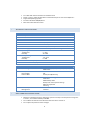
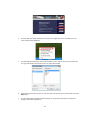
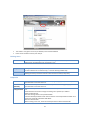
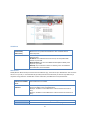
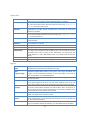
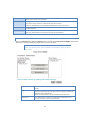
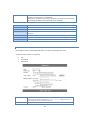
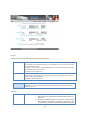
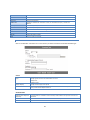
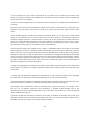
iTunes Server
Enable iTunes
Server
Server Name
Content
Directory
If enabled, then the user can listen music that stored in the NAS via iTunes client.
This iTunes Server supports files with extensions .mp3, .m4a, and .m4p. The iTunes
Server uses port number 3689.
Specify the name of the iTunes Server.
Note that some special characters (e.g. " \ : | , ') and 2-byte characters cannot be
used in it.
Specify the location in which music need be served iTunes Server.
Note that some special characters (e.g. " \ : * ? < > | ' `) cannot be used in it.
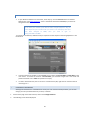
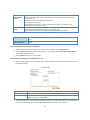
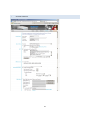
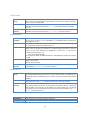
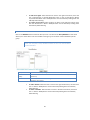
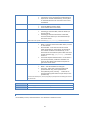
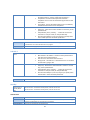
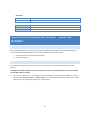
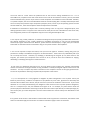
MP3 Broadcast
Enable MP3
Broadcast
Server Name
Port
Play by
Content
Directory
If enabled, then the NAS will broadcast MP3 in specified folder, and user can listen
to them by music players such as WinAMP etc. This MP3 Broadcast supports files
with extension .mp3.
Specify the name of the MP3 Broadcast. Note that some special characters (e.g. " \ :
| , ') and 2-byte characters cannot be used in it.
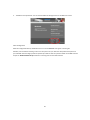
This port number is used for HTTP connections to MP3 Broadcast.. The default is
1234.. If this is changed, you should use a number greater than 1024. In order to
connect to the music broadcast via WinAMP etc, need add a ":" and the port
number after the address, e.g. :
HTTP://192.168.0.100:1234
This example assumes the NAS's IP Address is 192.168.0.100, and the port number
is 1234.
Specify the order that MP3 should be broadcasted.
Order - Play by order.
Shuffle - Play by shuffle.
Specify the location in which MP3 need be broadcasted. Note that some special
characters (e.g. " \ : * ? < > | ' `) cannot be used in it.
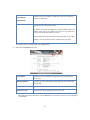
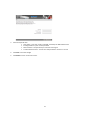
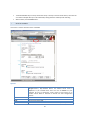
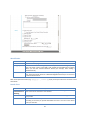
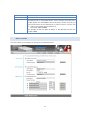
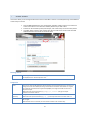
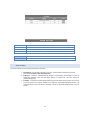
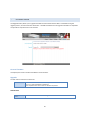
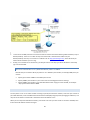
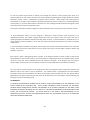
Media Server
Enable Media
Server
Server Name
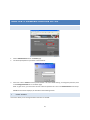
Content
Directory
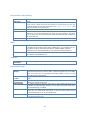
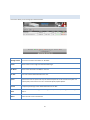
Browse Button
Save Button
Cancel Button
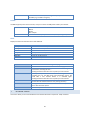
If enabled, the NAS can be located by compatible Media Adapters, using the UPnP
AV standard developed by Intel and its partners. Media content on the NAS (in the
Content Directories specified below) can then be accessed and played by the Media
Adapters.
Name of the Media Server that is displayed on client devices. Note that some
special characters (e.g. " \ : | , ') and 2-byte characters cannot be used in it.
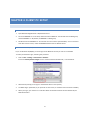
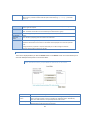
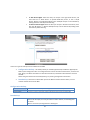
Directories where the Media Server shall scan for media content. You can specify
four Content Directories at most. You should click the "Browse" button to select the
desired folder. Each directory can be limited to a certain media type. The default
setting will scan for all content types. Note that some special characters (e.g. " \ : *
? < > | ' `) cannot be used in it.
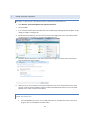
Click this button to select Content Directory.
Click this button to save the settings on the page.
Click this button to cancel the modifications on the page.
33