1
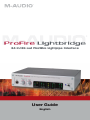
M-Audio ProFire Lightbridge User Guide
|
2
Introduction
1
T
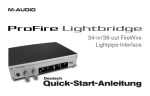
hank you for purchasing M-Audio’s ProFire Lightbridge interface. ProFire Lightbridge uses the ADAT optical
I/O standard to bring extensive digital connectivity to your studio. With its four ADAT optical inputs, four ADAT
optical outputs, S/PDIF coaxial input and output, and stereo analog outputs, ProFire Lightbridge lets you connect a
variety of devices to your FireWire-equipped digital audio workstation.
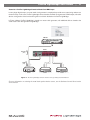
Using the high-bandwidth, industry-standard FireWire (IEEE1394) protocol, ProFire Lightbridge gives your DAW up
to 34 audio inputs and 36 outputs while connecting to your computer via a single cable. This makes it perfect for
multi-channel transfers to and from external multitrack recorders. ProFire Lightbridge is also ideal for linking your
DAW to an external digital mixer, or for connecting to another computer hosting soft synths and signal processors.
This manual will explain the features and operation of ProFire Lightbridge. Even if you are an experienced recording
enthusiast, please take a moment to read this guide and familiarize yourself with all of the unique features of your
ProFire Lightbridge.
What’s in the Box
2
Your ProFire Lightbridge package contains each of the following:
<
ProFire Lightbridge audio interface
<
Printed Quick Start Guide
<
M-Audio FireWire Series CD-ROM
<
FireWire 400 6-pin cable – 6 ft.
<
FireWire 400 4-pin cable – 6 ft.
<
12V DC 1A power supply